Plan the work ahead. Agents run the queue.
Line up tasks in the order you want them done, and group the big ones into epics. Then let agents run it: they take the next task, work through the queue and ask you only when something needs you.
Works with Claude, ChatGPT, Codex, Antigravity and Cursor.
A queue, not a pile
Write what needs doing, or ask your AI to plan it with you. Tasks line up in the order they should be done; move one up and it goes next. Each task carries one sentence that says what it is for, so anyone can read the queue.
- 1Draft the spring sale emailNext · an agent takes it
- 2Update the prices on the shopReady
- 3Write three social postsReady
- 4Book the photo shootWaits for the brief
An epic is a batch of tasks, start to ship
Bigger work becomes an epic: a batch of tasks one agent takes from start to ship. It works each task in turn and hands back the finished thing, so you check one result instead of ten.
Launch the spring sale
- 1Pick the productsDone
- 2Write the landing pageDone
- 3Draft the emailWorking
- 4Schedule the postsNext
Switch on Let agents run this
Turn the switch on and your agents take the next ready task, one after another. Each one says what it is doing, and what it finished, learned and left open stays on the task. The agents run on a computer with Claude Code, Antigravity or Codex set up for it. How to set one up.
- 1Let agents run thisSwitched on for the project
- 2Draft the spring sale emailAn agent is working on it
- 3Update the prices on the shopNext, when the email is done
Needs you shows only what needs you
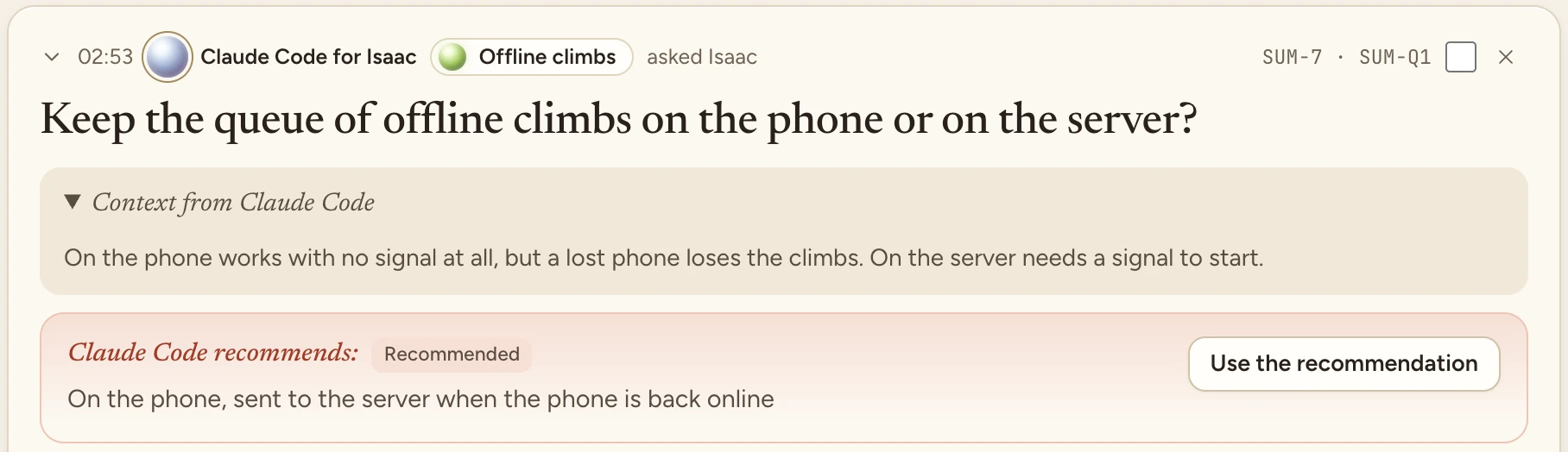
Agents keep going on everything else. When one needs a person, it lands in Needs you as one of three things, on your desk or on your phone.
- AnswerA question, with the options and the one the agent recommends.
- CheckFinished work to look over before it counts as done.
- AllowA step the agent takes only with your OK.
Everything else, the agents keep going on.
Pick up where you left off
Open a project and the Where we left off card says what was done, what is still open and what comes next. Continue in your AI opens your AI with all of it, so you never explain the project twice.
- 1DoneThe landing page and the product list
- 2Still openThe email waits for your check
- 3NextSchedule the posts for Monday
- Continue in your AI
Several projects, several people, at once
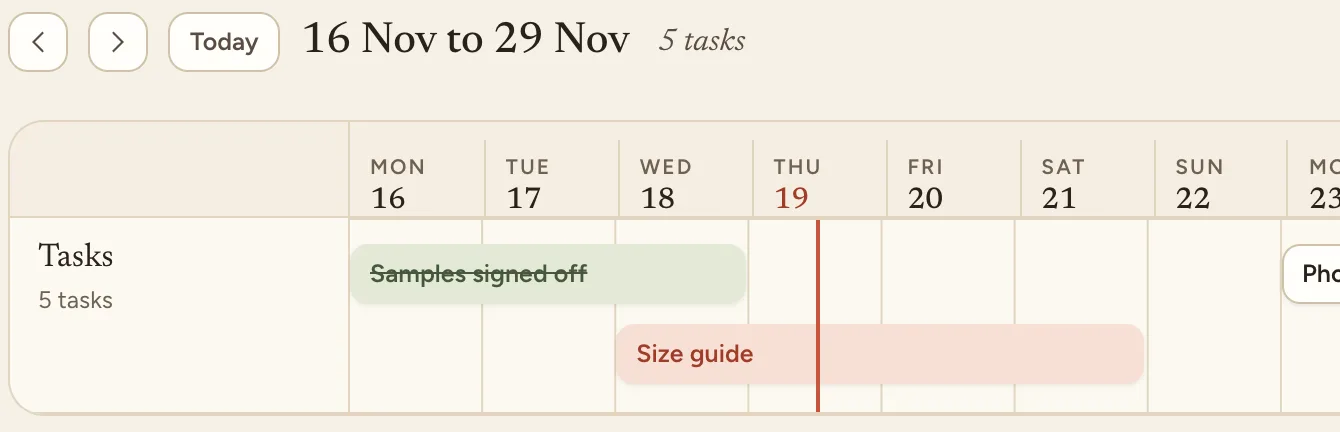
Each project keeps its own queue. Run agents on three of them while your team works a fourth. Nobody takes the same task twice, and every change says who made it, person or agent.
Plan it once. Watch it get done.
Line up the next week of work and let your agents take it from the top.
We're opening soon. Join the waitlist and we'll let you in.