Human in the Loop AI Agents: How Oversight Works
Learn how human in the loop AI agents work, which actions need approval, and how to keep oversight effective without slowing your team down.
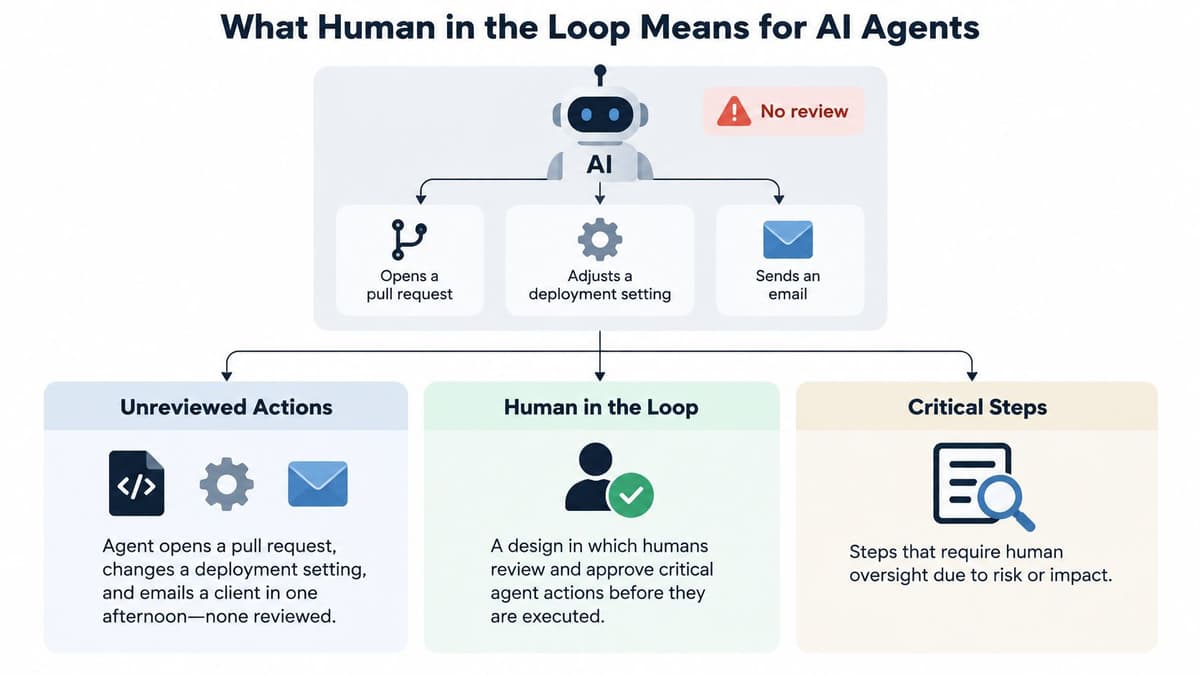
An agent opens a pull request, changes a deployment setting, and emails a client in one afternoon. Nobody reviews any of it. That's not a problem with whether the agent is “smart”; it's a problem with how the team decided what it could do on its own.
Human in the loop AI agents need oversight designed around the consequences of their actions. Reviewing every step slows routine work and can turn approval into habit. Reviewing nothing leaves people accountable for actions they may never have seen. The practical answer is a control system: let low-risk work move, pause consequential actions, and measure whether the checks catch problems.
What Human in the Loop Means for AI Agents
Human-in-the-loop design means a person reviews or approves a consequential action before it takes effect. The agent proposes the action, the person sees enough context to judge it, and the action proceeds only after approval. The human remains accountable for what the agent does under their permissions, so approval needs to be a meaningful decision, not a button pressed by default.
Think of a bank teller who can process small transfers but needs a manager's signature for a large one. The teller doesn't need a manager to watch every routine interaction. The signature is reserved for an action whose consequence warrants another person's judgment.
Teams usually choose among three oversight models. The useful unit of choice isn't the agent as a whole, it's the action the agent is about to take.
| Model | Human role | Agent acts alone? | Typical use |
|---|---|---|---|
| Human in the loop | Approves each consequential action before it runs | No, only after approval | Production deployments, payments, permission changes |
| Human on the loop | Monitors activity and intervenes on exceptions | Yes, for routine work | Ticket triage, low-risk code edits, draft documents |
| Fully autonomous | Reviews results after the fact, if at all | Yes, without checks | Narrow, reversible, well-tested tasks |
A human-on-the-loop setup works when someone can see what's happening and act on exceptions before they become larger problems. Fully autonomous operation is suitable only when the task is bounded and the consequences are acceptable without a live check.
A 2026 global survey of 1,000 cybersecurity professionals found that 53% favored a human-in-the-loop strategy for AI-powered cybersecurity, and 48% used it for security-operations work such as alert triage, analytics, and incident response. Those figures describe cybersecurity professionals, not every kind of team, but they show why people remain part of operational agent workflows. No single model fits every action. Choose the level of control based on what the action can change.
Sorting Agent Actions by Risk and Reversibility
Two questions make a useful first pass: How easily can the action be reversed? And how far can its effects reach? A code change on one developer's branch is easier to undo than a live deployment. A bulk update may be reversible in theory, but if it affects shared data, the cleanup could be extensive.
Treat oversight as a graduated control system, not a choice between approving everything and approving nothing. Research on risk-based oversight discusses the tension between autonomy, accountability, and effective human participation, and recommends varying control with task criticality and the practical capacity to supervise it. It also warns that poorly designed approval can increase acceptance of automation without improving decision accuracy, a reason to reserve review for actions where it can matter (review of oversight trade-offs and intervention policies). Teams setting up AI governance tools should make the tiers visible to the agent and reviewer.
| Action | Reversibility | Blast radius | Oversight required |
|---|---|---|---|
| Drafting specs or local code changes | Easy to undo | One developer's branch | Runs alone, reviewed in batches |
| Routine bug fixes on a feature branch | Easy to undo | One project | Runs alone, sampled audit |
| Production deployments | Hard to undo | Live users | Pre-approval required |
| Destructive database migrations | Hard or impossible to undo | Stored business data | Pre-approval plus backup check |
| Permission or role changes | Hard to undo quickly | Whole workspace | Pre-approval by the workspace owner |
| External messages to clients | Cannot be recalled | Reputation and contracts | Pre-approval required |
A reversible action can still move into a stricter tier when its blast radius is large. For example, an agent might be able to restore a bulk update from a backup, but changing shared records can disrupt several workflows before anyone notices. Treat it as consequential and require approval.
The same applies to actions that are technically reversible but costly to unwind. A schema change that locks a table might be rolled back, but the interruption and recovery work still make pre-approval sensible. When nobody answers an approval request, the agent should stay blocked and report that it's waiting. Silence isn't authorization.
Use this checklist when adding an action type: Name the action, rate its reversibility, rate its blast radius, assign an oversight tier, then set a date to review that decision.
A team can draft its initial tier list in one meeting. The point isn't to predict every possible failure. It's to give agents clear boundaries, then revise those boundaries when the work or consequences change.
Try this on your own backlog.
A month of Premium free. No card. Connected in a minute.
Setting Escalation Triggers That Fire at the Right Moment
More human involvement isn't automatically better. On HAS-Bench, which spans six domains, human participation recovered up to 65.4% of tasks that autonomy initially failed and increased Task Score by as much as 36.7 points. Yet the benchmark also found diminishing, sometimes negative, returns from stronger or more frequent intervention. The useful lesson is to trigger help at the right boundary, rather than maximize the number of approvals (HAS-Bench findings on human-agent collaboration).
The benchmark tracks Human Intervention Rate, the share of interaction steps taken by a human. In reported configurations, collaboration raised that rate from 0.22 to 0.27 in coding and from 0.07 to 0.14 in research. Those figures show that collaboration can involve more human steps, but they don't establish that more intervention is always better. Teams need to judge whether a person's involvement improves recovery enough to justify the time.
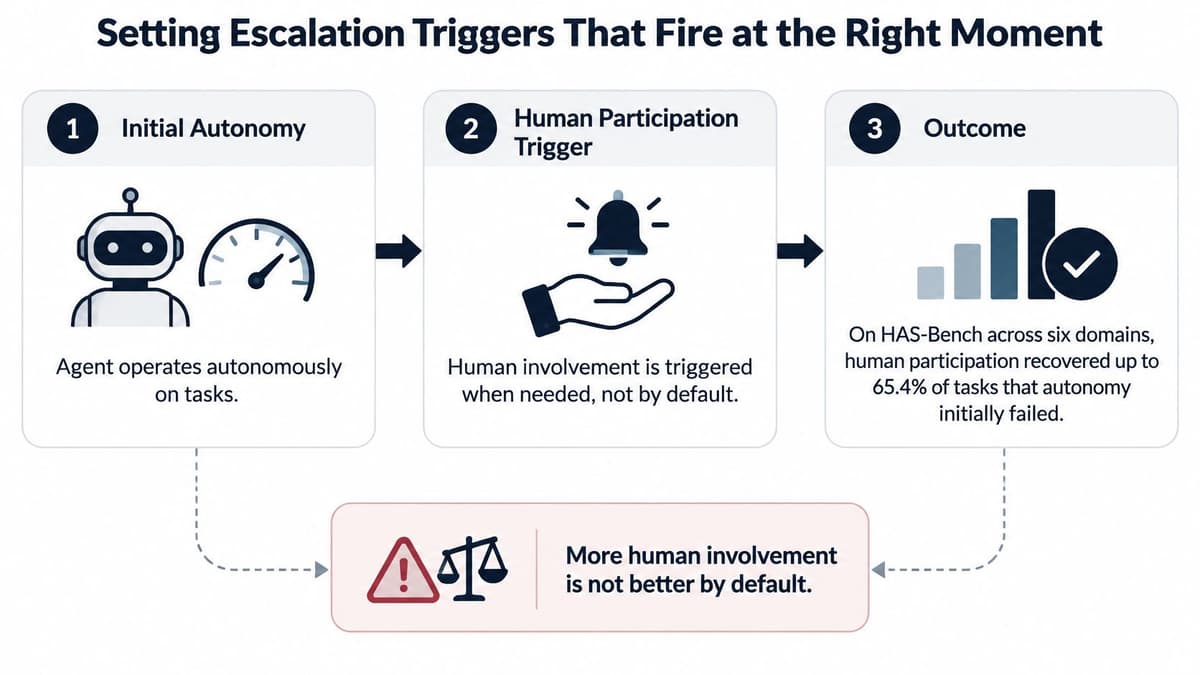
Set up escalation as a repeatable procedure:
- Name the boundaries. Identify the conditions that should trigger a request: uncertainty about the task, safety concerns, a dependency the agent can't resolve, or an action that requires approval.
- Require a useful request. Have the agent state the reason for pausing, the current task state, and its confidence in one message. A reviewer should be able to see what's blocked and what decision is needed.
- Set a threshold for each boundary. For example, a routine test failure might not need review, while a proposed change to a shared payment module does. Keep the threshold tied to the consequence, not just the agent's unease.
- Record the result. Log the reason for escalation and what happened next. Without the outcome, the team can't tell whether the request prevented a mistake or merely interrupted work.
- Review and tune. Each week, compare task recovery with intervention cost. Adjust thresholds up or down based on what the log shows, not on a general preference for either more autonomy or more checks.
Say an agent is fixing a failing test and finds that the change touches a shared payment module. It should pause, show the proposed diff, explain why the shared module matters, and wait for a decision instead of guessing. That gives the reviewer a concrete choice and gives the team a record it can use to refine the trigger.
Write the first rules in plain terms: which boundary pauses the agent, what context its request must include, and who can decide. That's enough to begin evaluating whether escalation is arriving early enough to help.
Why Approval Steps Can Make Oversight Worse
In a controlled study published in 2024, 66% of 292 participants preferred delegating a decision to an algorithm over a human recommendation, even though the options were designed to be equally accurate. When participants could monitor and adjust the algorithm's recommendations, their preference for the algorithm rose by 7 percentage points. Giving people control can make automation more appealing, but appeal isn't proof that they're supervising effectively (2024 controlled study of human oversight and reliance on AI recommendations).
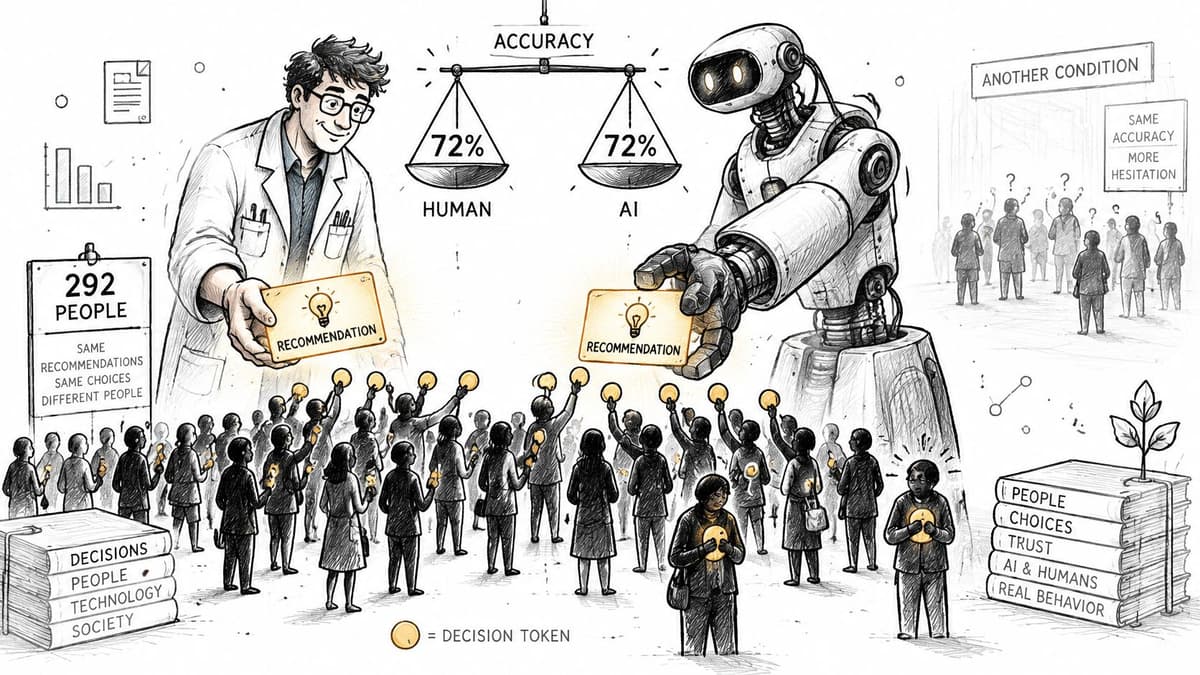
The warning is operational: participants followed algorithmic recommendations more closely while becoming less likely to intervene when those recommendations were least accurate. That's automation bias in practice. A reviewer who approves every prompt by habit may keep the approval step but lose the judgment it was meant to provide.
An approval queue can create the same failure in a software team. If an agent produces fifty items a day and reviewers approve each in seconds, the queue is training people to move quickly, not to scrutinize. Cut it to five high-risk items, and a reviewer has a better chance of checking the proposed change instead of treating the queue as routine admin.
Make each request specific enough to review:
- Show uncertainty. Tell the reviewer when the agent is unsure, rather than presenting every proposal with the same confidence.
- Explain the change. Summarize in one sentence what the action will affect, such as the files, settings, data, or recipients involved.
- Direct attention to likely errors. Flag unusual file types, unusually large diffs, or actions outside the agent's established pattern.
The iframe below is worth considering as a reminder that oversight depends on how people interpret recommendations, not on whether a review control exists.

Plays from YouTube. Pressing play loads it from Google.
Accountability doesn't transfer to the agent when a person delegates work. Agents act with the permissions of the person they act for, and that person is responsible for what the agents do in their workspace. Look at the approvals your team already uses: which ones prompt a real check, and which ones have become rubber stamps?
Keeping Several Agents Supervised Without a Dispatcher
With one agent, oversight often means deciding whether its next action needs review. With several agents working in parallel, the human also has to manage ownership, conflicts, stale context, and handoffs. Multi-agent coordination remains relatively unexplored from a user-experience perspective, leaving teams to work out how one person can see what each agent is doing and where intervention matters (research on human supervision of multi-agent coordination).
Treat coordination metadata as a safety control. Without it, two agents can work the same task, overwrite each other's changes, or proceed from different assumptions about what's already been done. A workable system needs four things.
Claims or leases make task ownership visible. One agent holds the task, while another can see who holds it and when that person or agent was last active. If the holder has gone quiet, a timeout can free the claim so a stalled session doesn't block work indefinitely. A person should also be able to request the claim directly and take over when needed.
Named attribution connects each change to both the person and the agent behind it. If a task or code change needs review, the team can see who authorized the work and which agent made it. This is more useful than a generic “AI changed this” label.
Structured handoffs prevent context from disappearing when a session ends. Record what was done, what remains unfinished, what comes next, and which tasks the agent touched. A new session should start from that record instead of relying on someone to reconstruct the work from chat history.
One prioritized queue keeps routine assignment from becoming a dispatcher's full-time job. Agents and people should pull ready, unblocked tasks from the same list, while the human focuses on exceptions and conflicts. Agent orchestration patterns are useful to consider when designing how parallel work gets assigned and handed off.
A stalled claim shouldn't freeze a project. Let a person request the work, notify the current holder, and release the claim after a quiet session has been inactive for a set period.
The practical target is one shared task list and one handoff template. When ownership, status, and next steps are visible, the human can focus on exceptions while agents continue routine execution. Without those controls, “oversight” can turn into dispatch work, then rubber-stamping, then no review at all.
Measuring Whether Oversight Actually Works
Approval counts tell you how busy a queue is, not whether it protects the work. A high count may mean reviewers are catching risky actions, or that agents are asking for help on routine steps. A low count could mean the agent has learned the right boundaries, or that it's acting without asking when it should. Evaluate outcomes alongside audit trail software that records actions, decisions, and escalation results.
Research on the Oversight Game describes human and agent as joint decision-makers: the agent can act or defer, while the human can override or shut down the system. The framework recommends judging oversight by safety violations, recovery after failure, unnecessary escalation, and time to human resolution, rather than counting approvals alone (Stanford's account of human-control frameworks for AI agents). Add human intervention rate to see how much human effort the system uses.
| Metric | What it measures | How to calculate it from the activity log | Warning sign |
|---|---|---|---|
| Safety-violation rate | Share of agent actions that broke a rule or constraint | Violating actions divided by total agent actions | Any rise after approvals are loosened |
| Recovery rate after failure | Share of failed tasks a human recovered | Failed tasks successfully recovered divided by failed tasks escalated | Low recovery means escalation comes too late |
| Unnecessary escalation rate | Share of escalations that needed no human decision | Escalations closed without a decision divided by all escalations | A high rate trains people to approve without reading |
| Time to human resolution | Time from escalation to a human decision | Record the elapsed time for each request, then review the typical wait | Queues that run past the working day |
| Human intervention rate | Share of all steps taken by a human | Human steps divided by all interaction steps | It rises without any gain in outcomes |
Read these measures together. Fewer escalations can look like progress while safety violations rise. Likewise, a low intervention rate is not an improvement if people now recover fewer failed tasks. A growing queue is often the most immediate signal: if human resolution stretches past the working day, requests are arriving faster than the people responsible can answer them.
Once a month, pull the counts from the activity log, compare them with the previous month, and change one threshold at a time. That makes it easier to identify what caused any change, instead of adjusting several controls and guessing which one helped.
Decision rule: If the safety-violation rate rises after approvals are loosened, roll back that change first. Then review the action's tier before adjusting any other threshold.
Set Up Your First Approval Gate This Week
Start with one action that has a meaningful consequence, not a blanket requirement to approve every agent step. A focused gate will feel slower at first, but it gives the team a clear place to learn whether its control is working.
- Choose the highest-tier action. Use the risk and reversibility list to select a production deployment, external message, or other action that should wait for approval. Put the gate directly in front of execution, so the action cannot take effect before a person accepts it.
- Write project rules as short instructions. Use direct “always” and “never” statements, such as “Never change permission settings without the workspace owner's approval.” Project rules are saved on the project and shown first in every agent briefing, ahead of an agent's own defaults.
- Start an escalation log. Record the reason for the request, the task state, the decision, and the outcome. When an agent proposes a consequential decision, keep the context, alternatives, and consequences together so the reviewer has something concrete to accept or reject.
- Set a review date two weeks out. Check the oversight metrics, identify which boundaries fire too often, and change one threshold only. If the first gate causes a delay, use the log to distinguish a useful pause from a poorly chosen trigger.
The first gate may feel slow because the team is making a deliberate decision instead of letting an agent proceed by default. That's useful friction when the action matters. As the log fills, adjust the boundary that causes unnecessary interruptions, while keeping consequential decisions behind an explicit approval.
Make the rule clear to the agent and the reviewer: every decision covered by the gate waits for a person to accept it before taking effect. Which single action will you gate first, and what will you check in two weeks?
Projectify gives people and AI agents a shared project board, with task claims, briefings, handoffs, project rules, and attributed activity to make oversight visible across parallel work. Use it to organize approvals and keep consequential agent actions tied to a person's decision. Visit Projectify to see how it can fit your team's agent workflows.