Project Handoff Template: Fields, Timing and Acceptance
Use this project handoff template to capture decisions, unfinished work and AI agent context, then confirm the receiver accepted it.
You've just taken over a checkout redesign that's half built. The code's there, the last person is on leave, and the only note says "almost done, just fix payments." You don't know what's verified, what's blocked, or which choice someone already rejected for good reason. A good project handoff template prevents that morning. It gives the next person, or the next AI session, the state of the work, the reasoning behind it, and a clear record that they accepted ownership.
A Project Handoff Template You Can Copy
A handoff is the record the next person or session reads before touching the work. A template keeps every handoff consistent, so the receiver doesn't have to guess which facts are missing or hunt through chat history to find them. Copy the table below into your project's handoff document and fill every row, even if the honest entry is that something's unknown, blocked, or explicitly deferred.
| Field | What to record | Example entry |
|---|---|---|
| Project purpose and success criteria | One sentence on the goal and the test that proves it is done | Redesign checkout to raise mobile completion; done when the full payment test passes on mobile and desktop |
| Completed work | Tasks finished, with links to commits, docs or files | Cart summary merged in the linked pull request; address form validated and linked to the test run |
| Unfinished work | Each open task with its current state and blocker | CSV export waiting on legal review of column names |
| Decisions and reasons | The choice made, the alternative rejected and the consequence | Chose Postgres over MongoDB because reporting needs joins |
| Risks | Known risk, likelihood and named owner | Payment webhook fails without the new secret; owner is Dev lead |
| Access and credentials | Who holds each access, where it is stored and whether it is transferred or deferred | Staging deploy key held by ops lead; transfer deferred to Friday |
| Next actions | The first three actions for the receiver, in order | 1. Run the test suite 2. Confirm webhook secrets 3. Review the open PR |
| Owner and freshness date | The receiving owner and the date the entry was last checked | Receiving owner Maya Chen; entry checked this morning before the walkthrough |
How to read a finished entry
Treat any row without an owner or a freshness date as unfinished, however polished the prose looks. The receiver should be able to tell at a glance what's done, what's merely claimed, and who they ask when an entry turns out to be wrong. I would rather read a short row that names a blocker plainly than three paragraphs of reassurance.
Practical rule: If a row can't name a person, a link, or a next step, it isn't ready to hand over.
Don't wait for a perfect moment to adopt this. Paste the table into the project's handoff document before the next session starts, and make the outgoing person complete it while the work's still fresh in their head.
When a Handoff Is Due, Not Only at the End
Handoffs are often written only when a project closes. By then the context's already gone, and the document becomes an archive instead of something the next owner can act on. You'll get a tidy summary of what happened and almost nothing about what to do next, what's fragile, or which decision you'd regret reversing.
The cadence that works is simpler. Write a short entry at the end of each working session, a fuller handoff at each milestone, and a complete one whenever ownership changes or a long gap is coming. NASA's knowledge management guidance says lessons learned should be identified and documented regularly throughout a project or program, not only at the end, with lessons consolidated into a final report within 60 days of launch. That same guidance describes four stages, collect, record, disseminate, and apply, which is exactly what a recurring handoff does. Timing belongs in your wider project implementation plan, not as an afterthought when someone leaves.
Triggers that require a handoff
- End of a working session: Record what changed and where you stopped.
- Milestone sign-off: Capture decisions, evidence, and unresolved risks while reviewers are still available.
- Change of owner: Transfer accountability to a named person, not to the team in general.
- A claim released after 30 minutes of inactivity: Note the task state so the next holder doesn't restart blind.
- An agent swapped for another model: Brief the new session because it has no memory of the old one.
For a small team, keep the session version lightweight. Spend about ten minutes covering what was done, what's unfinished, what comes next, and which tasks you touched, then use the full template at phase transitions. Your test is blunt, the receiver should be able to start on day one without asking the sender a single question. If they can't, the cadence's too loose or the entries are being written too late.
Try this on your own backlog.
A month of Premium free. No card. Connected in a minute.
How to Record Decisions and Unfinished Work
The next person can see what was built in the code. They can't see why it was built that way, which shortcut was deliberate, or which apparently obvious fix already failed. That's the part your project handoff template has to preserve, because it's the part that disappears first.
The visual below summarises the recording flow before the detailed steps.

Eight steps for a usable record
- List every decision made in this phase with its date. Include small choices that constrain later work, such as a library, a data shape, or a scope cut. A dated entry stops the receiver treating an old assumption as current fact.
- Write the alternative you rejected and the reason. Writers often slip here, recording the decision but not the rejected option, so the next team re-proposes it weeks later. Name the consequence too, for example extra reporting work, slower queries, or a manual step someone now owns. Keeping these entries in a decision log template makes them searchable later.
- Split open work into facts, assumptions, and unknowns. A measured test result is a fact. An untested cache lifetime is an assumption. An unanswered legal question is an unknown, and each needs different handling by the receiver.
- State the exact state of each unfinished task. Say what's done, what isn't, and give the file, branch, or command that reproduces the stopping point. "In progress" tells the receiver nothing they can use.
- Name the blocker and the person who can clear it. Write "waiting on the ops lead for the staging deploy key," not "blocked on access." A blocker without a named person tends to sit untouched.
- Record at least one failure or dead end, not only successes. Writers skip this because it feels like admitting fault, but a failed migration or a rejected design is valuable evidence. NASA's Lessons Learned Information System account reports that when the Space Shuttle Program ended, teams captured approximately 112 lessons learned in a system designed so later teams could access relevant experience during planning and throughout the project lifecycle.
- Link the artifact each entry depends on. Point to the commit, test output, design file, or ticket instead of describing it from memory. Links let the receiver verify the claim instead of trusting it.
- Read the entries back as a stranger would. Cut anything that needs chat history, a meeting, or shared slang to make sense. If you can't follow it cold, the receiver won't either.
A handoff that only records wins teaches the next team to repeat your expensive mistakes.
Store these records in one centralised, searchable place and review them at transition points. Scattered notes in personal documents don't help a new owner, and they certainly don't help an agent starting a fresh session.
Agent Fields for AI Session Handoffs
Say a second agent picks up a bug fix at 9 a.m. and reruns a migration the first agent had already tested and rejected the night before. Nobody made a careless mistake. The new session had no memory, no claim history, and no record of the dead end. A human handoff form misses those facts because it assumes the receiver remembers the project.
The illustration below shows the collaborative setting these extra fields are built for, where people and agents share the same work.
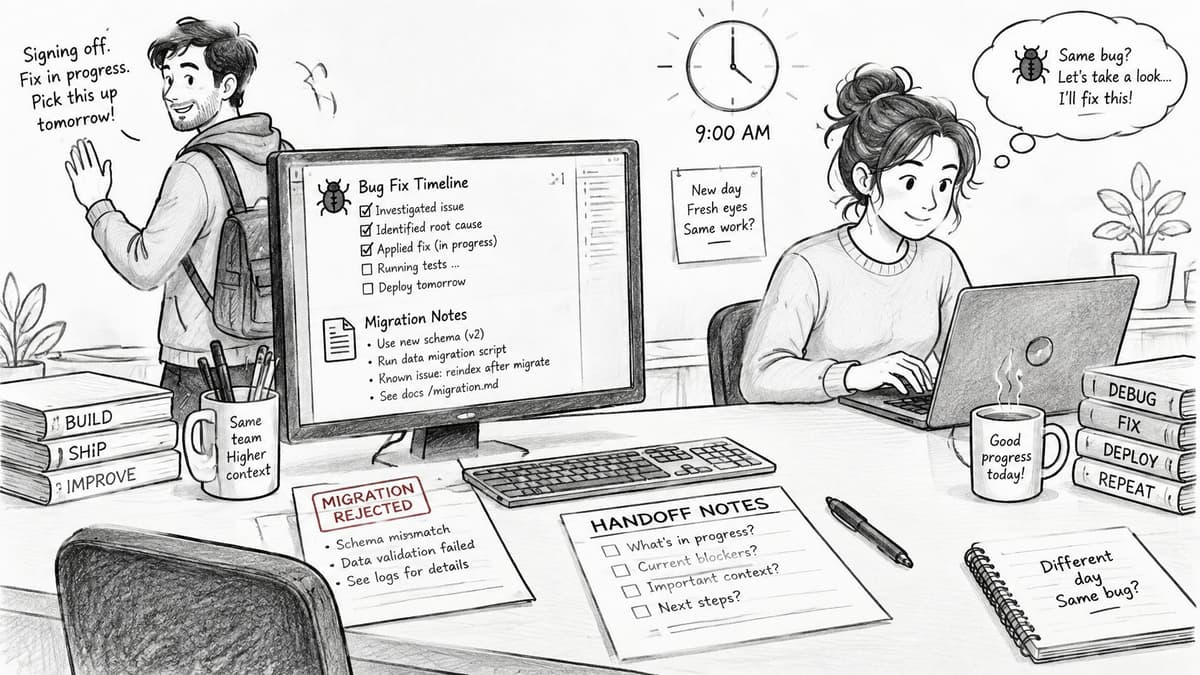
Conventional forms capture deliverables well but under-specify tacit reasoning, fragile areas, and what the next worker should read first. Research on architectural change management found recurring problems with identifying stakeholders, inconsistent terminology, knowledge transfer failures across tools, and reliance on informal, ad hoc communication. For agent work, add these fields to your project handoff template.
| Field | Why the next session needs it | Example entry |
|---|---|---|
| Session and agent identity | Shows which agent made each change and when | Claude for Isaac, session 3 |
| Tasks touched | Stops the next session repeating or colliding with work | TASK-82 moved to review, TASK-85 untouched |
| Claims held and released | Shows what is still locked and what is free | Claim on TASK-82 released; no claims held |
| Files and docs changed | Gives a read-first list for the next session | auth middleware; docs/how-it-works.md |
| Assumptions to verify | Separates measured facts from guesses | Cache TTL assumed 5 minutes; not yet measured |
| Rejected alternatives | Prevents re-proposing dead ends | Redis rejected: no operations capacity |
| Safe next actions | Lists what an agent may do without asking | Run unit tests; do not change migrations |
| Stop conditions | Defines when the work returns to a person | Any schema change or failing production check |
The short video below is a useful companion while you adapt these fields to your own board and session routine.

Plays from YouTube. Pressing play loads it from Google.
End every agent entry with a read-first list, the first three files the next session should open, in order. Add one firm rule, no agent writes to a task another session has claimed. It leaves a comment or asks for the claim instead, which keeps parallel sessions from overwriting each other.
Confirming the Receiver Accepted the Handoff
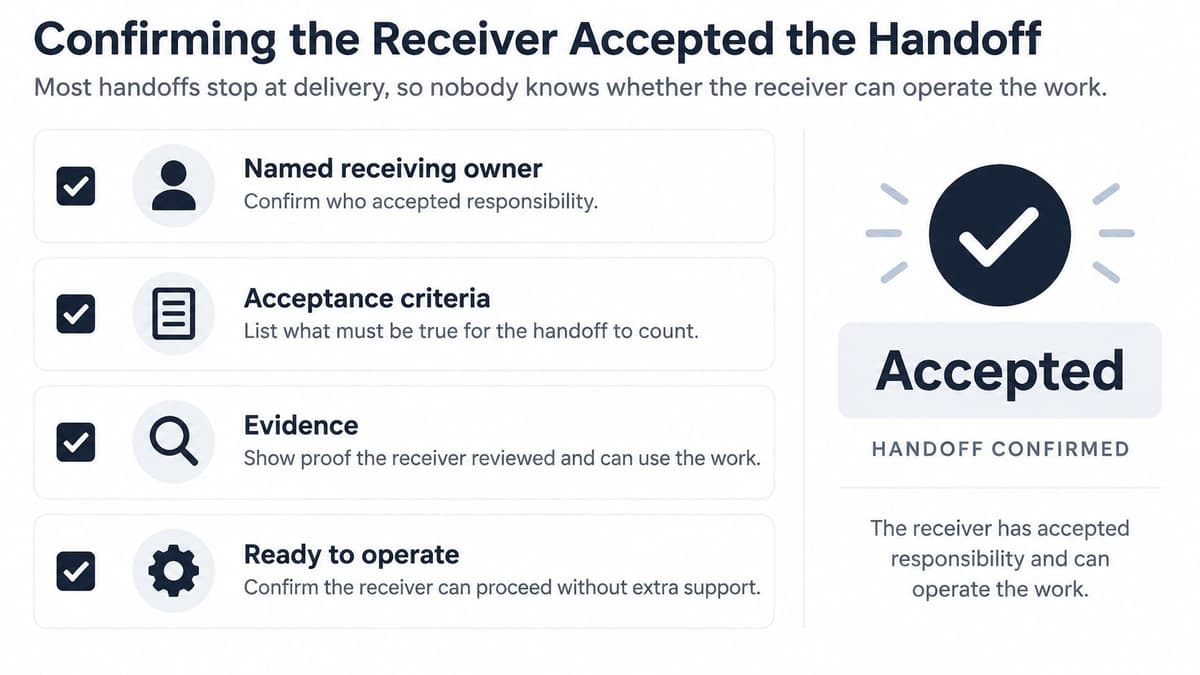
Delivery isn't handoff. Most templates stop when the document is sent, so nobody knows whether the receiver can operate the work. Acceptance needs a named receiving owner, clear criteria, evidence links, unresolved exceptions, a sign-off date, and a time-limited support window. A recent project handoff checklist identifies email-only transfer as inadequate because it doesn't establish acceptance, and it recommends a live walkthrough, receiver questions, and recorded sign-off.
The checklist visual below sets out the acceptance basics to confirm before anyone signs.
| Status | When to use it | What happens next |
|---|---|---|
| Proposed | The handoff is written but the receiver has not walked through it | Schedule a walkthrough and let the receiver review |
| Accepted | The receiver ran the critical path and signed off | Ownership moves and the support window starts |
| Accepted with exceptions | The receiver accepts but named items stay open | Each exception gets an owner and a date |
| Rejected | Evidence is missing or credentials fail the test | Return it to the sender and set a new handoff date |
| Re-handoff needed | Scope or ownership changed after acceptance | Close the old record and open a new handoff |
Checks before sign-off
- Hold a live walkthrough: Don't rely on email alone, and let the receiver drive the questions.
- Ask two hard questions: Pick questions only the outgoing person could answer today, then write those answers into the entry.
- Test credentials live: Confirm logins and keys work instead of assuming they were sent.
- Name support and its end date: Give one contact and a window such as ten working days.
- Record sign-off in the entry: Use the same acceptance language as your definition of done examples so done means verified, not just sent.
Before sign-off, run an operational dry run. The receiver executes the critical path once, such as a deploy to staging or a restart of the nightly job, and you log the result as evidence. Only a passed dry run supports Accepted. If it fails, mark the handoff Rejected and return it to the sender, because a rejected item with an owner is far better than a silent gap surfacing a week later.
Send Your First Handoff Today
Write the handoff for the session you finish tonight, before you close the work. Don't wait for a milestone, a role change, or a tidy stopping point, because tonight's unfinished state is exactly what tomorrow's session needs described. One honest entry beats a perfect system you plan to start next month.
Copy the template table into a new handoff entry and fill the four core parts first, what was done, what is unfinished, what comes next, and which tasks the session touched. That's how a handoff ends every session, so the next session, person or agent starts from it instead of reconstructing context. Then complete the remaining rows and add a receiving owner plus a freshness date to every row.
Your sending checklist
- Fill the four parts first: Done, unfinished, next, and tasks touched, before any polish.
- Own every row: Add the receiving owner and date so nothing floats unowned.
- Send and book the walkthrough: Fifteen minutes is enough for a session handoff.
- Record the status: Use Proposed, Accepted, Accepted with exceptions, or Rejected, never leave it blank.
- Set the support end date: Name who helps and when that help stops.
If your team tracks tasks in Projectify, keep the entry next to those tasks so the receiver sees claims and next actions in one place. Projectify is free for one person, connected in a minute, and the first handoff can happen by tonight, so there's no setup project standing in your way.
A handoff is finished when the receiver can work without you, not when the document is sent.
Hold yourself to that test. If the receiver still needs you in the room to interpret the entry, the handoff isn't done yet, whatever the status field says.
Start your first structured handoff tonight with Projectify, where people and their AI agents share one board, claim work without colliding, and begin every session briefed on the last handoff. It's free for one person and connects in a minute, so bring your current project, write the entry at session end, and let the next person or agent pick up exactly where you stopped.