SOP Template: A Copyable Guide with a Filled Example
Copy a SOP template, fill in every field and study a finished example. Covers owner, approver, steps, decision points and review triggers you can customize.
A new hire asks how a blog post goes live. The writer points to the editor, the editor mentions a checklist, and the publisher says the final check lives in a colleague's head. That colleague is away, and the post is due today.
A useful SOP template closes that gap. It tells someone what to do, what must be checked, and where to stop when the normal route won't work. It doesn't need to become a manual nobody opens.
What an SOP Template Is For
An SOP template is a reusable structure for documenting purpose, scope, responsibilities, inputs, steps, controls, records, and approvals. The Guam Bureau of Statistics and Plans' SOP guidance describes SOPs as formal written instructions explaining how routine activities are performed. A template gives those instructions a consistent home.
That makes it more than a checklist. A checklist reminds an experienced publisher to check the page. An SOP explains which checks to run, what a failed check means, and who can authorize the next move.
You probably need one when:
- The same mistake happens twice. Someone publishes without checking the links, then someone else repeats it.
- Only one person knows the process. Their absence turns ordinary work into a guessing exercise.
- A client or auditor asks how work happens. You need a procedure and evidence, not an explanation assembled afterward.
The structure works for agencies onboarding clients, HR teams welcoming employees, construction crews completing safety checks, law firms opening matters, and marketing teams publishing campaigns. The content changes, but the need for clear ownership doesn't.
Start small: Capture the action, its owner, the completion check, and the exception route before polishing the document.
A field table makes the procedure copyable. Observable steps, a filled example, busy-day exceptions, and adherence measures make it usable. You don't need every possible field to begin, but you do need enough information for someone else to finish safely.
How to Write Steps Someone Can Follow Without Asking
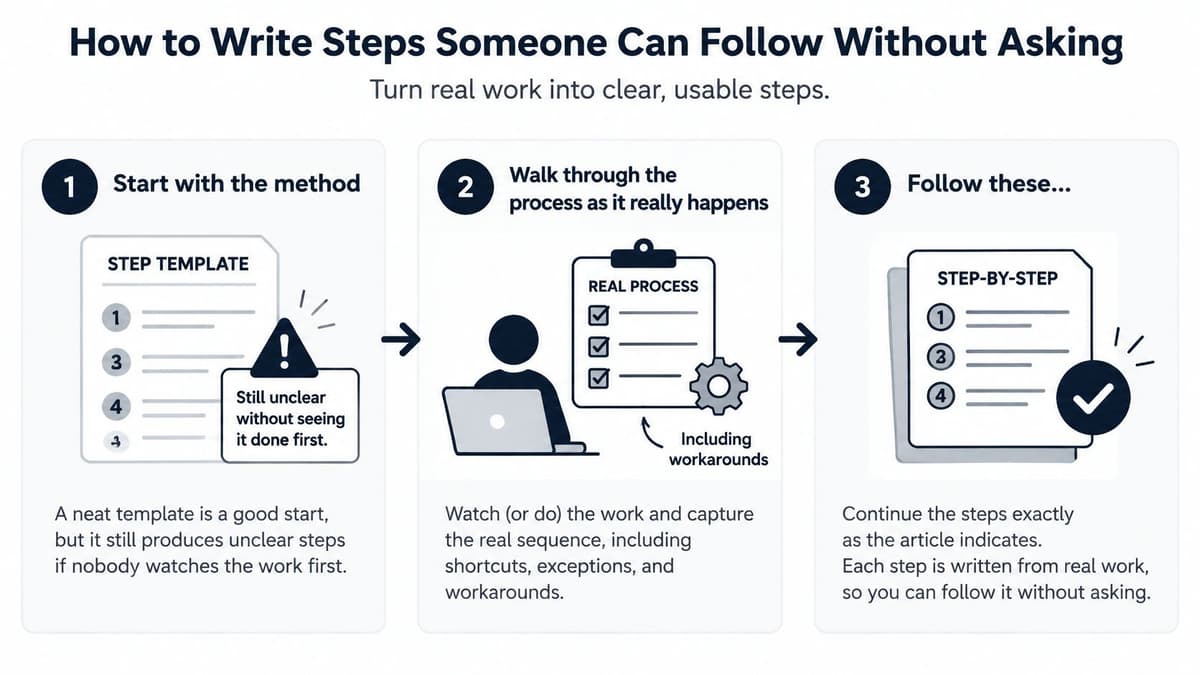
Watch the work before writing the procedure. A neat template won't rescue instructions based on how a manager thinks the process happens. Follow an actual run, including the spreadsheet someone checks, the approval they chase, and the workaround they use when an input is missing.
Use this sequence to turn observation into instructions.
Write and test the real sequence
Observe the task from start to finish. Record the order, prerequisites, and shortcuts. Ask why a workaround exists before deciding whether to retain it or fix the underlying problem.
Turn each action into an observable instruction beginning with a verb. Write Export the file as PDF at 300 dpi, not Handle the file. The export setting is a task-specific instruction, not a universal requirement for every document.
Mark the branches. Identify quality checks, safety controls, required records, and escalation rules. Give each decision a role, so the operator doesn't have to guess who can waive a failed check.
Give the draft procedure to someone unfamiliar with the task. Watch without coaching where it's safe to do so. Every pause exposes a missing input, unclear instruction, or assumed skill.
Get line-by-line review from at least two subject experts, followed by cross-functional and management approval. The FDA's workplace-document guidance supports process walk-throughs, expert redlines, visual aids, multiple reviews, and accountability for training on the current version.
Train through an observe, perform, assess, document cycle before independent work. Use full completion of current-version training as a firm release condition, not as an industry performance claim.
Log every deviation and its reason. Revise when the work changes or an incident, audit finding, or material deviation exposes a problem.
Replace interpretation with evidence
The same step written badly and written well
| Vague step | Observable step | Check before moving on | Who decides at a branch |
|---|---|---|---|
| Handle the image | Upload the approved hero image and add descriptive alt text | Image matches the brief and alt text is saved | Editor |
| Check the links | Open every link in the draft and confirm it loads the intended page | Every destination loads and matches its anchor text | Editor |
| Get approval | Send the draft in the task to the content lead and wait for a reply | Approver reply reads approved | Content lead |
| Fix the claim | Find a named source for every statistic and paste the URL beside it | Every number has a source and a date | Editor |
| Publish the post | Set the status to Published and copy the live URL into the task | Live URL loads and shows today's date | Publisher |
Avoid vague verbs such as handle and process. Label optional steps explicitly, and remove duplicate instructions that could drift apart during later edits.
A recording can help you capture the sequence before translating it into written actions.

Plays from YouTube. Pressing play loads it from Google.
The Copyable SOP Template, Field by Field
Copy this table into a shared document. The entries describe a hypothetical blog-publishing procedure, so replace its dates, version numbers, intervals, and rules with your own.
SOP template fields, what to write and an example
| Field | What to write | Example entry |
|---|---|---|
| Title and ID | Name the process and give it a code | Publish a company blog post, SOP-MKT-007 |
| Version | Number every revision | 2.1 |
| Owner | The role that keeps the procedure current | Content lead |
| Approver | The role that signs off changes | Head of marketing |
| Effective date | When this version starts | 1 March 2026 |
| Review cycle | Interval plus change triggers | Every 6 months, or after a change to the publishing tools |
| Purpose | Why the process exists, in one or two sentences | Get every post live with correct links and metadata |
| Scope | What is in and what is out | Company blog posts only, not newsletters |
| Responsibilities | Who does which part | Writer drafts, editor checks, publisher schedules |
| Inputs and materials | What must exist before starting | Approved draft, hero image, meta description |
| Steps | Numbered, one action per step | 1. Run the link check 2. Approve the page |
| Decision points and escalation | Where to stop and who to ask | Unsourced claim goes to the editor |
| Records | Evidence kept and where it lives | Live URL and checklist saved to the task |
| Revision history | Version, date, change and approver | 2.1, 1 March 2026, added fallback-image rule, head of marketing |
Put identification above the instructions
The header should let someone confirm they've opened the right procedure without reading the whole document.
Title and ID: Publish a company blog post, SOP-MKT-007
Version: 2.1
Owner: Content lead
Approver: Head of marketing
Effective date: 1 March 2026
Scope: Company blog posts only
Write owners as roles rather than names so the procedure survives a staff change. Keep the current role-holder and backup in an accessible team directory or assignment field.
The fields people skip and regret are approver and decision points. The approver authorizes changes to the procedure itself. Decision points tell the person executing it when their authority ends. Those aren't necessarily the same role: a head of marketing might approve the SOP, while an editor decides whether a claim is adequately supported.
Establish a storage rule
For this example, the current document lives in Marketing → Procedures → Blog publishing. The content lead edits it, and the head of marketing signs each revision before it replaces the current version. Archive superseded versions separately so a new hire doesn't choose between competing final copies.
ISO 9001 doesn't prescribe a universal SOP layout; its quality-management framework emphasizes documented responsibilities, controls, records, and controlled change. Filling in this table alone doesn't establish conformity with the standard.
Delete fields your process doesn't need, but retain records and revision history. Records show what happened during execution. Revision history explains which instructions applied and when they changed.
A Filled-In Example for Publishing a Blog Post
Say a content team is publishing a guide for prospective clients. The writer has the assignment, but the task shouldn't move toward publication until the brief identifies the intended reader and target keyword.
The following is a worked example, not a claim about standard publishing times. Its estimates and editorial limits are starting assumptions for this team.
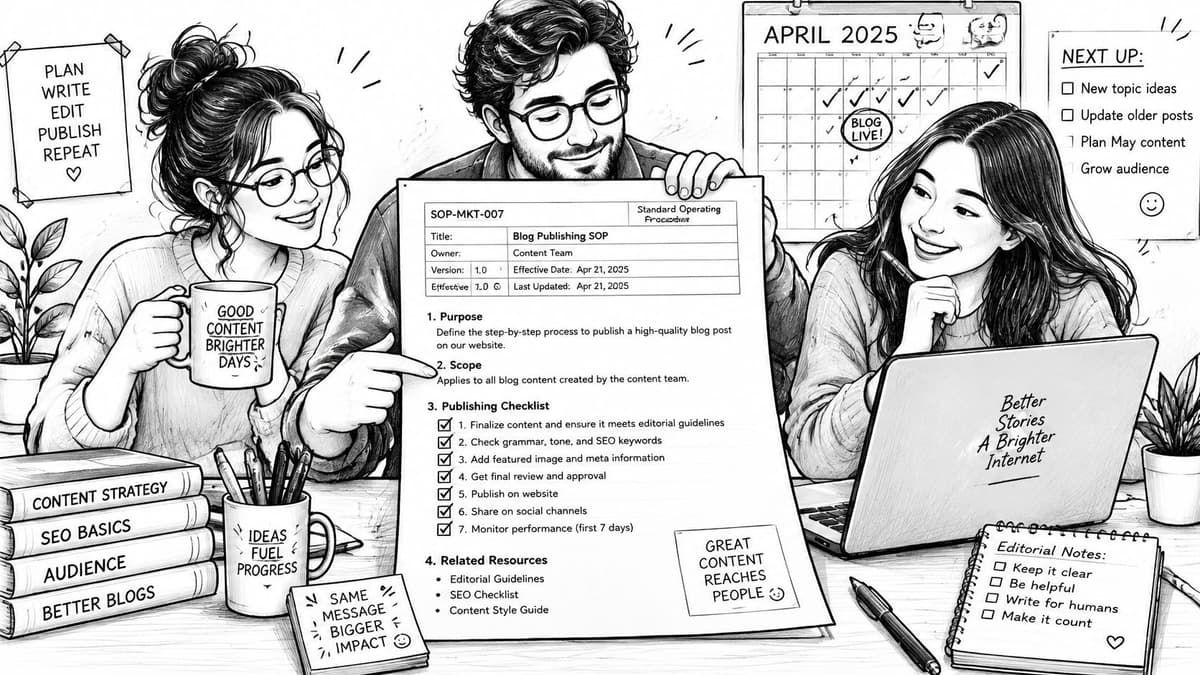
Complete the header first
| Header field | Filled entry |
|---|---|
| Title and ID | Publish a company blog post, SOP-MKT-007 |
| Owner | Content lead |
| Approver of this procedure | Head of marketing |
| Review cycle | Every 6 months, or after a change to the publishing tools |
| Scope | Company blog posts only |
| Required inputs | Approved brief, source material, CMS access, image assets |
| Final output | Checked live page with its URL recorded on the task |
Blog post SOP steps, owners and checks
| Step | Owner | Check before moving on | Typical time |
|---|---|---|---|
| 1. Confirm brief and target keyword | Writer | Brief names one reader and one keyword | 10 minutes |
| 2. Draft and self-edit | Writer | Draft matches the outline and word count | 3 hours |
| 3. Edit for accuracy and tone | Editor | Every statistic has a named source | 45 minutes |
| 4. Add metadata and images | Writer | Title under 60 characters, alt text on every image | 20 minutes |
| 5. Run link and format check | Editor | No broken links, one H1 heading | 15 minutes |
| 6. Approve for publishing | Content lead | Approver signs off on the task | 10 minutes |
| 7. Publish and record | Publisher | Live URL saved to the task | 10 minutes |
The title limit is this example's house rule, not a guarantee about how a search engine will display it. Replace the time estimates with the team's observed timings after two or three real runs, and separate working time from waiting for approval.
Follow a post through the checks
The writer confirms the brief before drafting. If it targets both first-time buyers and experienced procurement leads without explaining the priority, the content lead resolves that ambiguity before the writer starts.
During editing, the editor checks claims against their named sources rather than checking only grammar. An unsupported statistic stays out of the approved draft until the writer supplies evidence or replaces it with a supportable statement.
The writer then adds metadata and images. The editor opens the page preview, tests destinations, and checks heading structure. A checked draft isn't automatically a checked CMS page: pasted formatting, missing alt text, and incorrect destinations can appear during upload.
The content lead approves the final preview on the task. The publisher opens the live page after publication and saves its URL, giving the next person an actual result to inspect rather than a status label to trust.
For teams organizing an editorial pipeline, the content operations guide provides a relevant starting point for keeping briefs, review stages, and publishing work together.
Fill in your own process the same way, starting with the step where mistakes most often slip through. Describe that check precisely before spending time on the easier parts.
Keep the SOP Usable When Conditions Get Busy
An SOP can describe the normal route perfectly and still leave someone stranded when the image is late or the reviewer is away. Under pressure, the operator needs a permitted next action, not more background reading.
A clinical review of SOP design recommends keeping procedures short and simple while preserving essential information, and raises language choice and timely staff access as practical concerns. Those are useful design tests beyond healthcare: can the person doing the work understand and retrieve the instruction when they need it?
Add an execution layer
Attach required inputs, an estimated duration, an exception route, and a decision-maker to each important step. Keep the normal route visible, and move detailed rationale into an optional appendix.
A longer SOP isn't automatically safer. Keep the instructions that change someone's next action close to the work.
For the blog example, use these explicit exception rules.
Exceptions and who decides
| Situation | First action | Who decides |
|---|---|---|
| Source missing for a claim | Hold the paragraph and flag it in the task | Editor |
| Hero image not ready on publish day | Publish with the approved fallback image | Content lead |
| Link check fails after publishing | Unpublish the page and log the fault in the task | Publisher |
| Named owner unavailable for review | Escalate to the named backup owner | Approver |
| Step cannot finish in the estimated time | Record the delay and stop at the last checkpoint | Content lead |
The editor decides whether the missing claim can be removed without changing the post's meaning. The content lead authorizes the fallback image, which must already be approved and accessible. Otherwise, use the fallback merely replaces one missing input with another.
The post-publication rollback rule is deliberately conservative for this example. A team that permits a publisher to repair a minor link in place should write that permission explicitly, rather than ignoring its own unpublish instruction.
Make access and handoffs part of the task
State the working language of the SOP and where staff can open the current version. If translated versions are needed, assign responsibility for keeping them aligned. Label optional explanation as optional, not as another required step in disguise.
In Projectify's working practice, every session, whether performed by a person or Claude, starts from a briefing and ends with a handoff. Apply that discipline to interruptions: record what was done, what remains unfinished, what comes next, and which tasks were touched.
A useful handoff names the exact checkpoint reached. Draft edited; source for the pricing claim missing; editor must resolve before approval gives the next person something actionable. Mostly done doesn't.
Measure Whether People Follow the SOP
A complete document isn't proof of an effective process. The ISO guidance on documented information says documentation should be sufficient for effective operation and control, with objective evidence that the process works.
Use measures that reveal missed checks, repeated exceptions, and outdated instructions. Assign each measure an owner, reporting period, and action threshold before building a dashboard.
SOP adherence metrics
| Metric | How to calculate | When to act |
|---|---|---|
| First-pass completion rate | Tasks finished correctly the first time divided by tasks started | When it drops below your agreed threshold |
| Deviation rate | Recorded deviations divided by executions in the period | When the trend rises over two periods |
| Steps with evidence | Steps with a saved record divided by required steps | When any required step has no record |
| Overdue-review rate | Procedures past their review date divided by all procedures | When any procedure is overdue |
| Exceptions resolved within target | Exceptions closed inside the target time divided by exceptions raised | When the share falls below your target |
| Training completion | Staff trained on the current version divided by staff assigned | Before anyone works alone, at 100 percent |
These action rules are proposed operating controls, not universal industry benchmarks. Training completion is the firm readiness gate; attendance alone isn't enough if the person can't perform the task.
Keep the denominators honest
Use the same reporting period for each numerator and denominator. For steps with evidence, count only steps requiring records across the executions examined. Don't count optional appendix reading as an execution step, and don't treat a missing record as proof that someone skipped the action.
For first-pass completion, define what correctly finished means before counting. Concrete definition-of-done examples can help distinguish a task marked complete from one whose checks passed.
Review the cause, not just the count: Repeated deviations may reveal a bad instruction, missing training, or insufficient staffing.
Review on the calendar, but also after a process change, incident, audit finding, or material deviation. Each month, the process owner should pull the measures, read the deviation notes, and decide whether to change the SOP, training, or staffing. If no exceptions were raised, report that metric as not applicable rather than inventing a success rate.
Turn Your Most-Used SOP Into a Workflow
Start with the procedure people already use when work is stacked up. A workflow earns its place when several people run the same process, mistakes cost money or client trust, and some steps require execution rather than judgment. Occasional reference work can remain a document.
The conversion should make responsibility clearer. Moving paragraphs onto task cards only gives the same confusion a new format.
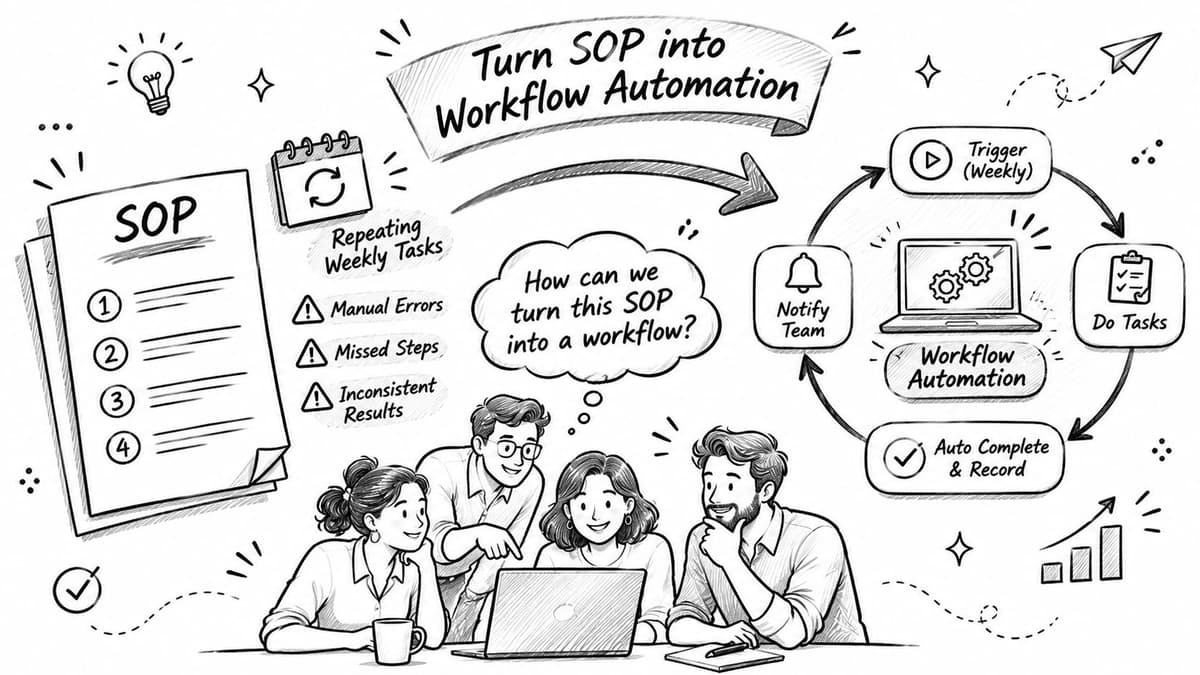
Before an agent acts, specify:
- Trigger and inputs: What starts the run, which records must exist, and what counts as missing information.
- Permissions and decisions: What the agent may complete alone, where a person decides, and which actions wait for approval.
- Uncertainty and recovery: What it must flag, how to roll back a mistake, and what evidence it saves for review.
Test those instructions against two versions of reality. On the busy-day version, can someone pick up the run without asking who owns the next action? On the abnormal-day version, does the workflow say what happens when an input is missing, a customer changes the request, or a check fails? If either answer is unclear, the procedure is not ready to automate.
Projectify has templates for 40 kinds of work, including SOPs. Its workflow feature turns a video, link, or document into steps with checks where a person approves. Claude handles briefs, change lists, checklists, and summaries; drafted letters, summaries, and policy changes wait in Approvals until a person reads them. Lasting project rules, such as instructions beginning “always” or “never,” appear first in every briefing so they come before an agent's defaults.
AI drafting does not fix procedure drift. Keep a named owner and visible record for each action. Claude's changes are signed and can be undone, which makes review practical instead of speculative. Pick the SOP used most often this month, convert it into a workflow, and place approval gates before consequential actions and final completion.
Projectify gives people and their Claude agents one place to run work with checks, decisions, and handoffs attached. Visit Projectify, bring your most-used procedure, and build a workflow that pauses for approval before consequential actions and before final completion.