Blog model context protocol MCP explained AI agents
What Is Model Context Protocol? a Plain-English Guide
What is model context protocol? Learn how MCP connects AI agents to tools and data, how it works step by step, and how it differs from other approaches.
Model Context Protocol (MCP) is an open standard that connects AI applications to external tools and data through three capabilities: tools, resources, and prompts. It standardizes the connection, but it doesn't decide how agents sharing a project should coordinate their work.
You've got an AI coding assistant open, a project board full of tasks, and requirements scattered across documents. You want the assistant to read what matters and update the right task without copying everything into chat. MCP provides the connection for that workflow. The harder question appears when another agent connects to the same project and starts working alongside it.
What the Model Context Protocol Is and Why It Exists
Model Context Protocol (MCP) is an open standard, introduced by Anthropic on November 25, 2024, that gives AI applications one secure, two-way way to connect to external tools and data. Its original launch announcement describes a shared integration approach rather than a new model.
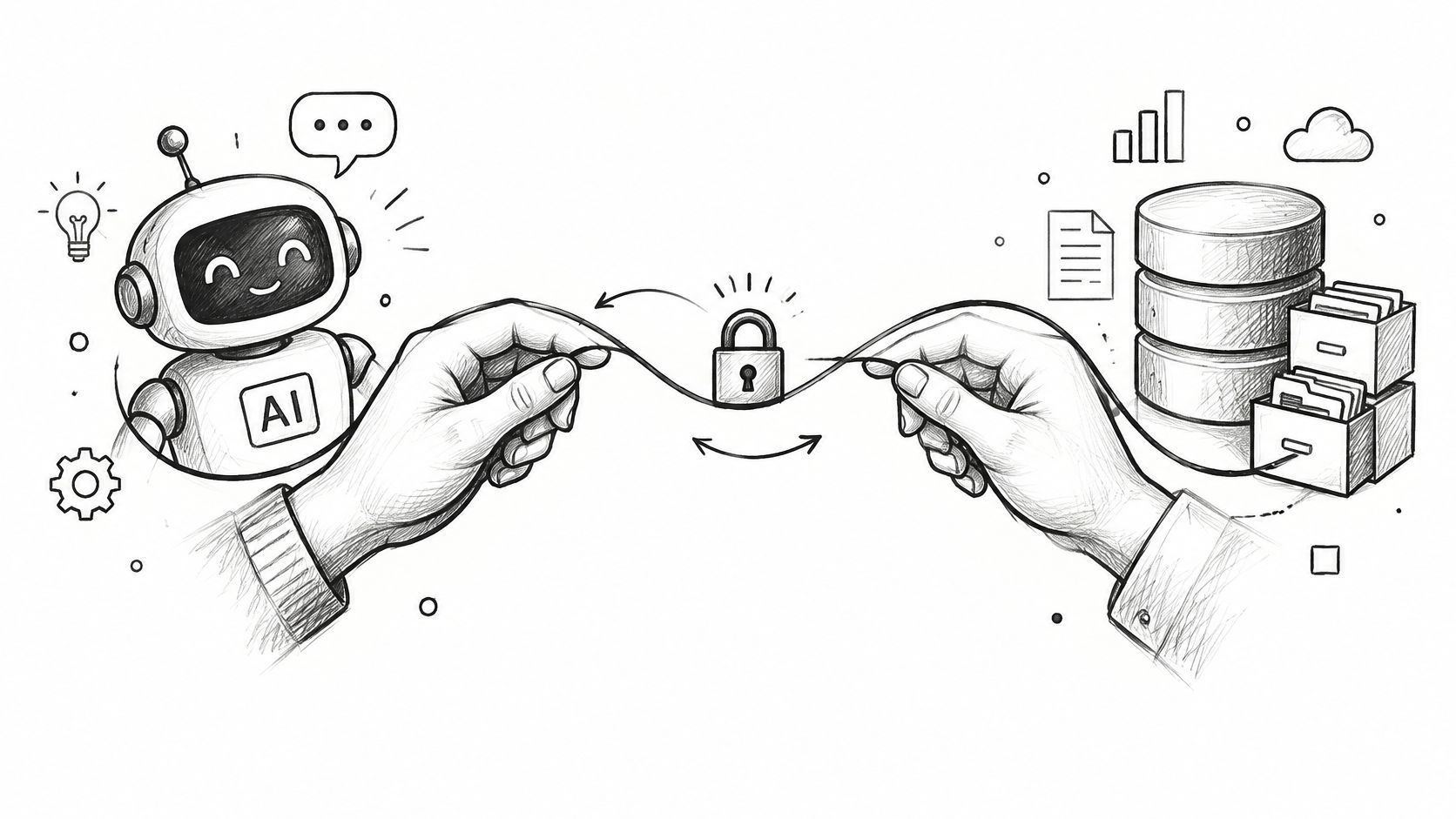
Think of USB-C. Instead of needing a different connection arrangement for every device, compatible devices use a common port. MCP applies that idea to AI applications and external systems.
Without a shared protocol, developers maintain separate integration code for each application and service pairing. With MCP, a service can expose capabilities through a server that compatible AI clients can use. Developers still implement the service's behavior, but they don't have to reinvent the client-facing connection each time.
Follow a request to the project board
Suppose you ask a coding assistant to find an open bug on your project board. The host is the coding application you're using, the client is its connection component, and the server exposes the board's data and operations.
The client requests project information through the server. The server retrieves it from the underlying system and returns it in a form the application can use.
The launch included the specification and software development kits, local server support in Claude Desktop, and an open-source server repository. That combination established an interoperability layer, not a standalone AI application.
The official server repository had approximately 91,500 GitHub stars in the available 2026 repository snapshot. That's evidence of developer attention, not proof that every listed server is safe or suitable for your project.
MCP gives applications a common way to connect. The server still determines what's available, and the underlying system still determines what an operation means.
Tools, Resources and Prompts Explained
| Primitive | Purpose | Who Triggers It | Changes Data? |
|---|---|---|---|
| Tools | Executable functions, such as API calls, database queries, and file operations | The model requests a call, subject to host controls and user consent | Can write to external systems, but can also be read-only |
| Resources | Read-only context, such as file contents, database records, and board state | The host or user makes context available to the session | No |
| Prompts | Reusable message templates and workflows | The user selects a template | Not directly, they structure the conversation |
These are the three primary server-side primitives described in the MCP specification. A server can offer a combination rather than choosing a single category.
The useful design distinction is reading versus acting. Expose project context as resources where that fits the application, and expose changes as clearly named tools with defined inputs and permission checks.
Tools execute operations
A tool is a function the application can invoke. An illustrative claim_task tool might accept a task identifier and request ownership of that task.
Not every tool changes data. A database query can be a read-only tool, so the word tool alone doesn't tell you its risk. You need to inspect what the operation really does.
A good tool description explains the operation precisely. Its input schema defines the arguments, while the server enforces what those arguments are allowed to accomplish.
Resources and prompts supply different kinds of context
A resource could contain the project's open tasks, current brief, or testing instructions. The application makes that information available so the model can reason about the user's request.
A prompt might instead provide a reusable bug-triage workflow. It guides the conversation, but selecting it doesn't itself authorize a board update.
Consider a project board exposing an open-task resource and a claim tool. Reading the task list helps the assistant choose suitable work. Claiming a task changes shared state, so that operation needs authorization and appropriate consent.
Read-only doesn't mean unrestricted. A resource containing confidential project information still needs access controls, even though reading it doesn't modify the board.
Practical rule: Keep context retrieval easy to understand, and make consequential actions explicit. Don't hide a write operation behind something that sounds like a harmless lookup.
Free for one person. No card. Connected in a minute.
How an MCP Session Runs From Start to Finish
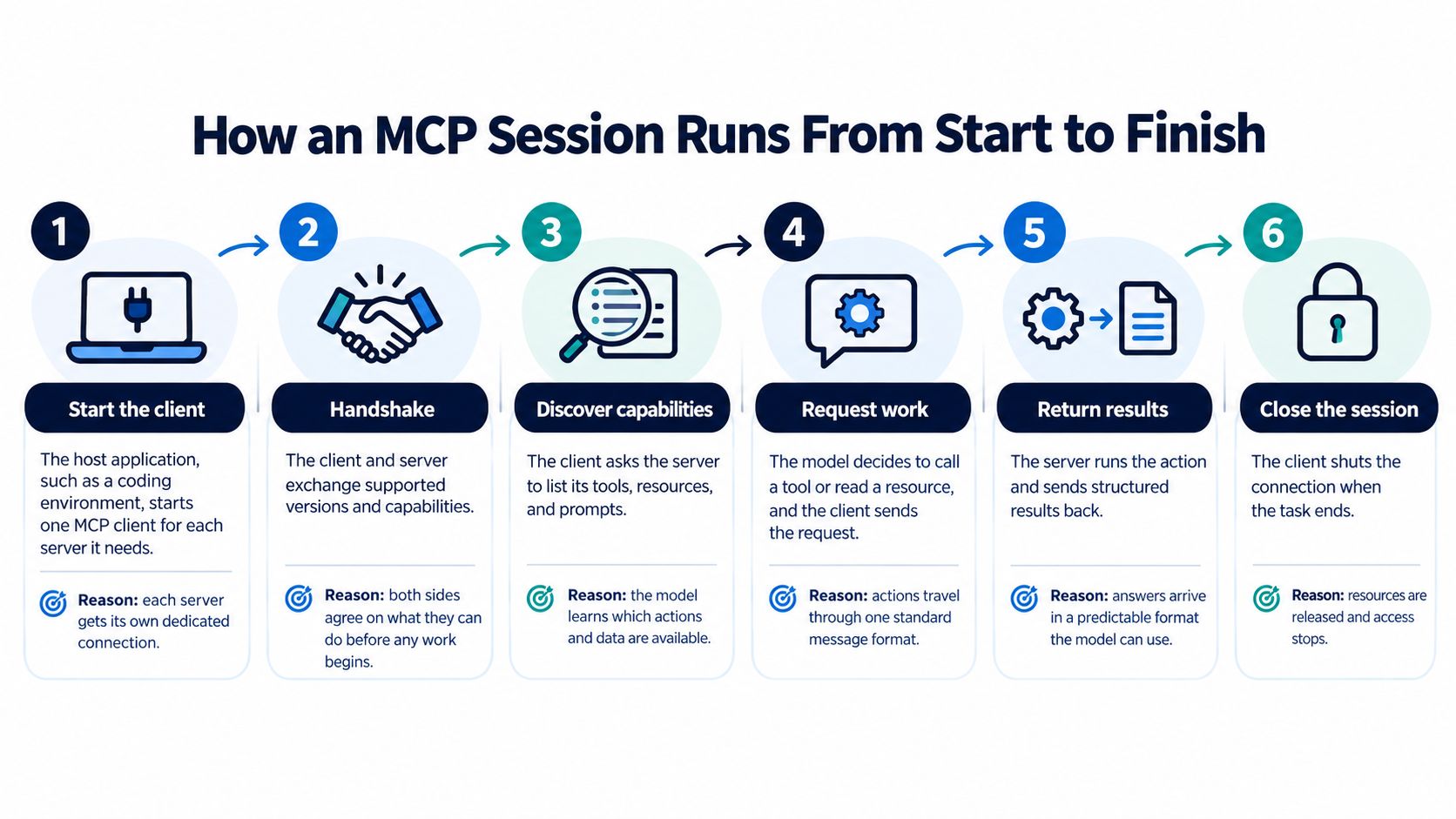
An MCP session turns a user's request into a sequence of structured exchanges. The application manages the connection, while the server exposes the capabilities available through it.
This diagram gives an overview of the connection lifecycle.
Trace a task claim through the session
The host creates a client connection. Your coding environment creates a client for the server it needs. Keeping the server connection separate gives the application a defined place to manage its lifecycle and capabilities.
Client and server initialize. They exchange initialization messages and negotiate supported capabilities. This establishes what they can do together before the application requests project work.
The client discovers what's available. Methods such as
tools/listandresources/listexpose available operations and context. Discovery lets the application work from the server's published capabilities instead of assuming a function exists.The model identifies what it needs. Given your request, the model may need to read the task list before proposing a claim. The host controls how that context and those available operations enter the interaction.
The host applies approval controls. Before a consequential action proceeds, the application checks the applicable user-consent policy. A user's request to inspect a board shouldn't silently become permission to change ownership.
The client sends the tool request. It uses
tools/callwith the tool name and arguments. MCP's JSON-RPC 2.0 messaging supplies a standardized request format, as described in the protocol and authorization documentation.The server checks and executes the operation. It validates the request, applies authorization, and returns a result or error. The model can then continue from the actual outcome rather than assuming the claim succeeded.
Recognize a healthy interaction
A common mistake is treating a tool's description as proof of permission. A description saying that a tool updates tasks doesn't establish that this user may update this task.
Prefer a focused tool set, clear results, and approval controls proportionate to the action. Sensitive reads may also deserve approval, so consent shouldn't be limited mechanically to writes.
This distinction matters when designing AI agent workflow automation: the next action should depend on the previous operation's result, including refusals and failures.
For a complementary walkthrough, watch the following video.
Local and Remote Connections and Who They Act For
| Transport | How It Connects | Typical Setup | Authentication | Best For |
|---|---|---|---|---|
| stdio | Local process using standard input and output | A local server, commonly serving a local client | Credentials from the local environment | Developer tools and local files |
| Streamable HTTP | HTTP POST, with optional Server-Sent Events for streaming | A remotely hosted server serving multiple clients | OAuth access tokens under the HTTP authorization framework; other credential arrangements depend on deployment | Shared team boards and hosted services |
These are MCP's two principal transport patterns. The transport and authorization specification distinguishes local process communication from HTTP-based access.
With stdio, the client starts a local server process and communicates through its input and output streams. That avoids a network connection between those components, but it doesn't make every operation harmless. A local server may still have credentials that allow changes to external systems.
With Streamable HTTP, a hosted server can accept requests from clients on different machines. This suits a shared project board, where teammates and their agents need access to the same underlying state.
Remote access needs an acting identity
For HTTP authorization, the MCP server functions as an OAuth 2.1 resource server. The client acts on behalf of a resource owner, and an authorization server issues access tokens.
In plain language, a request should arrive with an authorization context that establishes whose access the application is using. Signing into an AI application isn't, by itself, permission to change every connected project.
A production implementation should enforce these controls:
- Validate tokens. Check that the presented credential is valid for the service receiving it.
- Enforce scopes. Allow only the categories of access granted to that client.
- Check application permissions. Verify the acting user's rights for the particular project and operation on every call.
- Reject descriptive authority. Treat tool descriptions as explanations, never as security boundaries.
Suppose an agent acts for a teammate who can comment on a project but can't administer it. The server should permit an authorized comment and refuse an administrative change, even if the model requests it confidently.
Authentication identifies the access context. Authorization decides what that context permits. Transporting a request successfully doesn't settle either question, and local credentials deserve the same careful treatment as remote tokens.
Why MCP Matters for Multi-Agent Teams
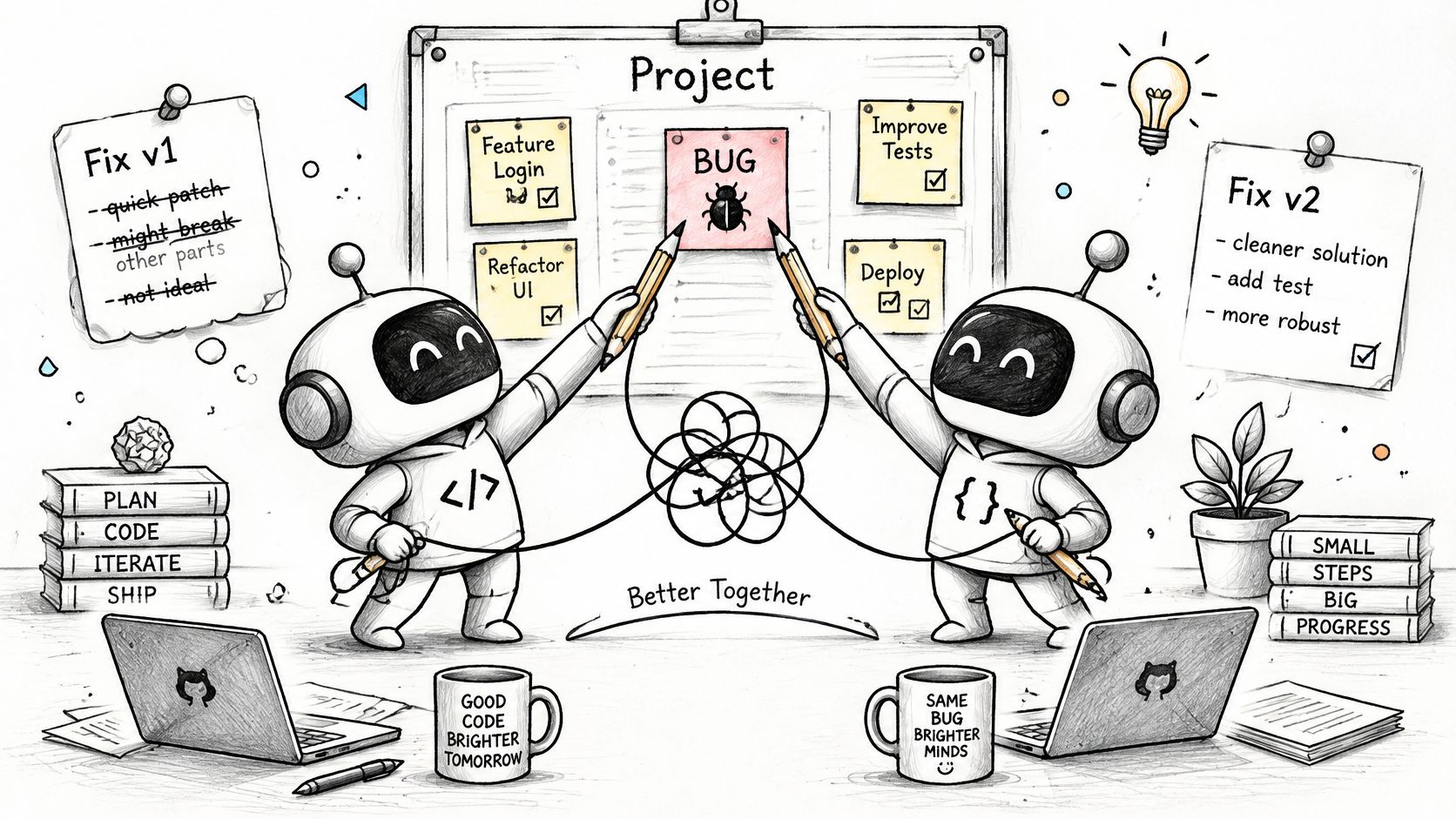
Suppose parallel coding sessions connect to the same project board. Each sees an open bug, starts a fix, and later updates shared code without realizing another agent is working on it.
That's a hypothetical collision, not a protocol failure. MCP can connect both sessions correctly while neither session has a reliable way to establish ownership.
The distinction matters in multi-agent systems: connection is not coordination. A server may expose coordination operations, but the project system has to define and enforce their meaning.
Ownership and starting context
Ownership answers who is allowed to work on a task right now. A claim or lease makes that decision visible instead of leaving agents to infer ownership from an unchanged status label.
Starting context answers what a new session needs before acting. The task title alone may omit project rules, earlier decisions, and unfinished work from the previous session.
In Projectify, we combine claims, session briefings, handoffs, and attribution so people and agents can work on the same board. A claim renews on every action and frees itself 30 minutes after its holder goes quiet; another agent requesting that task is told who holds it and when they were last active, then leaves a comment or asks for the claim.
That behavior belongs to the project system. MCP carries the request and response, but it doesn't invent the lease policy or resolve ownership by itself.
Continuity and accountability
A handoff should record enough for the next person or agent to continue without reconstructing the entire chat. Useful contents include:
- Completed work. What changed and which tasks were touched.
- Unfinished work. What remains incomplete or uncertain.
- Next action. What the next session should attempt.
- Relevant reasoning. Why a decision was made, especially when the obvious alternative was rejected.
Accountability answers a different question: who made the change? Recording both the associated person and the agent makes automated actions distinguishable from direct human edits.
These mechanisms should work together. A briefing without ownership can still send agents toward the same task, while ownership without a handoff can leave the next session uninformed.
A successful tool call proves that an operation ran. It doesn't prove that the team assigned the right work, preserved its reasoning, or avoided conflicting changes.
MCP Compared With Other Context Protocols
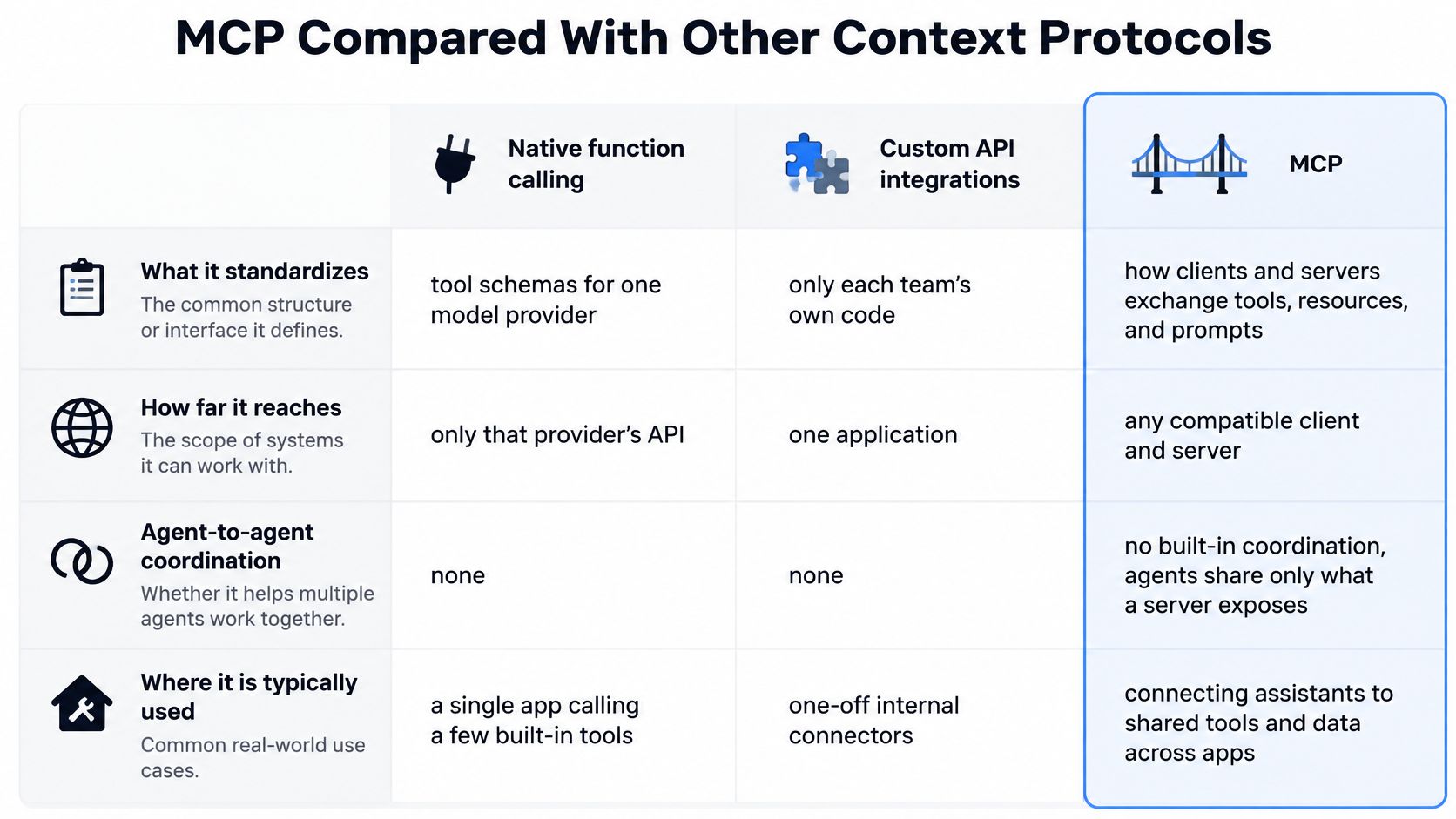
Compare approaches by what they standardize, where they apply, and whether they address collaboration between agents. Not everything described as an alternative to MCP solves the same problem.
| Approach | What It Standardizes | Reach | Coordinates Agents? | Typical Use |
|---|---|---|---|---|
| Model Context Protocol | Client-server exchange of tools, resources, and prompts | Compatible clients and servers | Not by itself; coordination must be implemented above it | Sharing service capabilities across AI applications |
| Native tool or function calling | Tool declarations and calls within a model API | The relevant API integration | Not by itself | An application invoking a defined set of functions |
| Custom REST or plugin integrations | The application's own integration contract | The applications and services developers connect | Only if developers build coordination behavior | A connector with a fixed scope |
| Retrieval-augmented generation | A retrieval workflow rather than an interoperability protocol | Systems that supply retrieved context to a model | Not by itself | Answering questions using documents |
| Agent-to-agent protocols, such as A2A | Agent communication and task delegation | Participating agents | Supports messaging and delegation, not necessarily project ownership rules | Delegating work between agents |
The table is a practical architectural comparison, not a claim that these approaches are mutually exclusive. An application can use more than one.
The visual below focuses on the integration boundary.
Choose for the boundary you need
Native function calling can be appropriate when you're building an application with a small, controlled set of functions. MCP becomes more compelling when you want the same service capabilities available through different compatible AI applications.
Custom REST integrations remain useful when you need precise control over a particular application-service relationship. MCP doesn't remove the underlying service API or business logic; a server can expose operations that use that API internally.
RAG answers a context-retrieval question. If your main requirement is finding relevant passages in documents, focus on retrieval quality and what reaches the model. An MCP server can make a retrieval capability available, but adopting MCP doesn't choose your documents or determine whether a retrieved passage is relevant.
Agent-to-agent messaging addresses another boundary: how agents request work from other agents. Even when delegation works, teams still need to decide how task ownership, approvals, and durable project records behave.
A practical verdict
Choose MCP when reusable access across compatible clients matters. Choose native function calling when a contained application integration is sufficient, and use retrieval when the central problem is answering from documents.
For parallel agents, ask an additional question regardless of protocol: where is shared project state enforced? A messaging format can carry an assignment, but your system still needs to prevent conflicting assignments and record the outcome.
Connect Your First MCP Client and Verify It
For our connection route, Claude Code uses claude mcp add, followed by approval in your browser. Claude.ai and Claude Desktop use a custom connector with approval, with each connection acting for a named person.
Use our Claude Code MCP connection guide for the setup route. Before distributing instructions to your team, verify the current client interface and required command arguments rather than treating a partial command as a complete configuration.
Verify behavior before expanding access
Identify every operation that changes data. Review the tools the server exposes and establish the necessary approval policy. Test a harmless read before attempting a write.
Check the acting user's permissions. Try an allowed operation and an operation that user shouldn't be allowed to perform. Confirm that the server refuses the latter, rather than relying on the agent to avoid requesting it.
Test failure and revocation. Revoke access, then attempt a fresh request. Confirm that the client can no longer perform protected operations and that the failure is understandable.
Record the implementation details. Keep an inventory of the server package, dependencies, supported specification version, transport, and authentication method. You need to know what changed when an update breaks a working connection.
Review authentication migrations. Check release notes for issuer validation, credential binding, and client-registration changes. The MCP specification-change discussion is relevant to migration planning, but apply changes according to the version your deployment actually supports.
Keep a rollback route. Preserve the last tested configuration and decide how to disable the integration if an update fails. Don't make recovery depend on the same agent connection you're trying to repair.
Start with a contained project
A server directory helps you discover candidates; it doesn't replace verification. Review who maintains the implementation, what access it requests, and how it behaves when requests fail or permissions disappear.
Connect a client to a contained project, inspect its tools, perform an authorized change, and verify the resulting record. Add parallel agents only after you've tested both access controls and task ownership.
The useful milestone isn't merely a connected status. It's a request you can explain, an action you can attribute, and a failure you can recover from.
Projectify gives people and MCP-connected agents a shared project board with task claims, briefings, handoffs, and attribution on every change. Visit Projectify to connect your assistant, claim a task, and leave a handoff that the next session can use.