Blog client project management software client portals audit trails
Client Project Management Software Compared
Compare client project management software on portals, permissions, audit trails and AI-agent work, then match a tool to how your clients already work.
The popular advice on client project management software is to buy a portal, invite the client, and treat the engagement as governed. That advice stops one step too early. A portal that shows status does not keep your board and the client's board in agreement, does not stop a guest from opening internal notes, and does not say whether a person or an agent changed the homepage copy.
The buying question in 2026 is sharper. Can one board sync an external client tool, lock permissions, and attribute work when agents, not only people, edit tasks? If it can't, the portal is a prettier status deck.
I judge this as a delivery lead who has lived on someone else's board. Moving the client off Monday, Trello, or Azure DevOps looks tidy inside the agency and collapses the week they refuse. Staying only on their board looks polite and collapses the week two sessions edit the same card with nobody named as owner.
Hold every tool to four tests before you read another feature page. External board sync. Granular permissions. An approval stored as an event. An audit trail that still names a person if an AI agent touched the task.
Why Internal Boards Fail Client Work
An internal board can be perfectly organized and still fail the client. If the agency and client track work in separate places, updates drift; if the client shares the agency board, private notes may be exposed; and if changes lack clear ownership, scope disputes become harder to resolve.
PMI's 2024 Pulse of the Profession report found that organizations that undervalue project management as a strategic capability experience an average of 67% more project failures than organizations that treat it as strategically important. That finding points to a delivery problem, not a software verdict. Governance, requirements, decision-making, skills, and organizational support all shape project outcomes. For agencies, weak ownership and lost decisions can turn into scope disputes and status reports rebuilt after the work is done.
Practical rule: If the client cannot see the commitments you are staffing, the agency and client are working from different versions of the truth.
Use four tests to narrow the shortlist:
- External board sync: The client can keep working in Monday, Trello, or Azure DevOps while project work stays in sync.
- Granular permissions: A client can review and approve copy without seeing rates, staffing notes, or other clients' work.
- Stored approval: Sign-off is recorded as an event, not left in an email thread.
- Agent-proof audit: Changes made by AI remain attributable to a person.
Agencies managing several client projects need a clear owner for every task and decision, whether the work happens on their own board or the client's. See this guide to project management for agencies for the agency workflow context.
Seven Tools Scored for Client Delivery
Score client collaboration first. Guest or portal access, granular permissions, and an explicit sign-off outweigh a long task list. A 2026 comparison of client project tools puts that weight where it belongs, then workflow depth, because a client should review, comment, and approve without receiving internal data. I put external board sync second, audit and attribution third, and AI work coordination last. An AI badge does not rescue a row with weak permissions or no live sync to the client's board.
| Tool | Best client fit | Client access | External board sync | Audit and attribution | AI work coordination |
|---|---|---|---|---|---|
| Projectify | Agency or studio keeping the client's board, with agents doing tasks | Agent limited to what its person can do; members suggest | Two-way Monday, Trello and Azure DevOps; conflicts shown on the task | Every change attributed to a person and, when relevant, the agent | Claims, Start next queue, briefing, handoff |
| Teamwork | Client-service teams that need a portal and retainers | Client users and project privacy | Native, not a sync of a foreign board | Activity and time history | AI helpers, not task leases |
| Monday.com | Clients who already run status in Monday | Guests with column-level limits on higher plans | It is often the client's board | Activity log | AI blocks and summaries, not multi-agent claims |
| Asana | Cross-functional programs with external approvers | Guests; forms and approvals | Limited; clients usually join Asana | Audit log on Enterprise | AI teammates and summaries, weak session handoff |
| Jira | Software vendors whose client is in the issue tracker | Limited customer access via service projects | Separate from Azure DevOps | Full issue history | Agents can read; they do not lease a ticket |
| ClickUp | Agencies that want docs, chat and tasks in one place | Guests; permission complexity is the risk | Imports more than live client-board sync | Activity and advanced audit on higher plans | AI writing and assignment, not collision control |
| Notion | Shared briefs and light status, not formal delivery | Page and guest sharing | Weak as a live PM sync | Page history, not a delivery audit | Agents read pages; no claim or approval gate |
How to read a row
The first row fits a small team whose client already lives in Monday, Trello, or Azure DevOps, and whose Claude agents do real tasks. Conflicts surface on the task, where people already look, instead of in a nightly digest. Teamwork leads when the product you are buying is a portal plus retainers. Monday.com is the visual status board many clients already paid for, so forcing them off it is a political project, not a tooling one.
Asana covers cross-functional guests and keeps a serious audit log once you are on Enterprise. Jira fits when the client is an engineering stakeholder living in the issue tracker, not a marketing approver waiting on a homepage. ClickUp covers the all-in-one agency that will accept permission complexity. Notion is a knowledge share. It is not a governed delivery board.
Ignore a high AI mark if the access column is loose or the sync column is an import. The next pass is how guest roles, sync conflicts, and approval events behave on a real client day.
Free for one person. No card. Connected in a minute.
Permissions Sync and the Audit Record
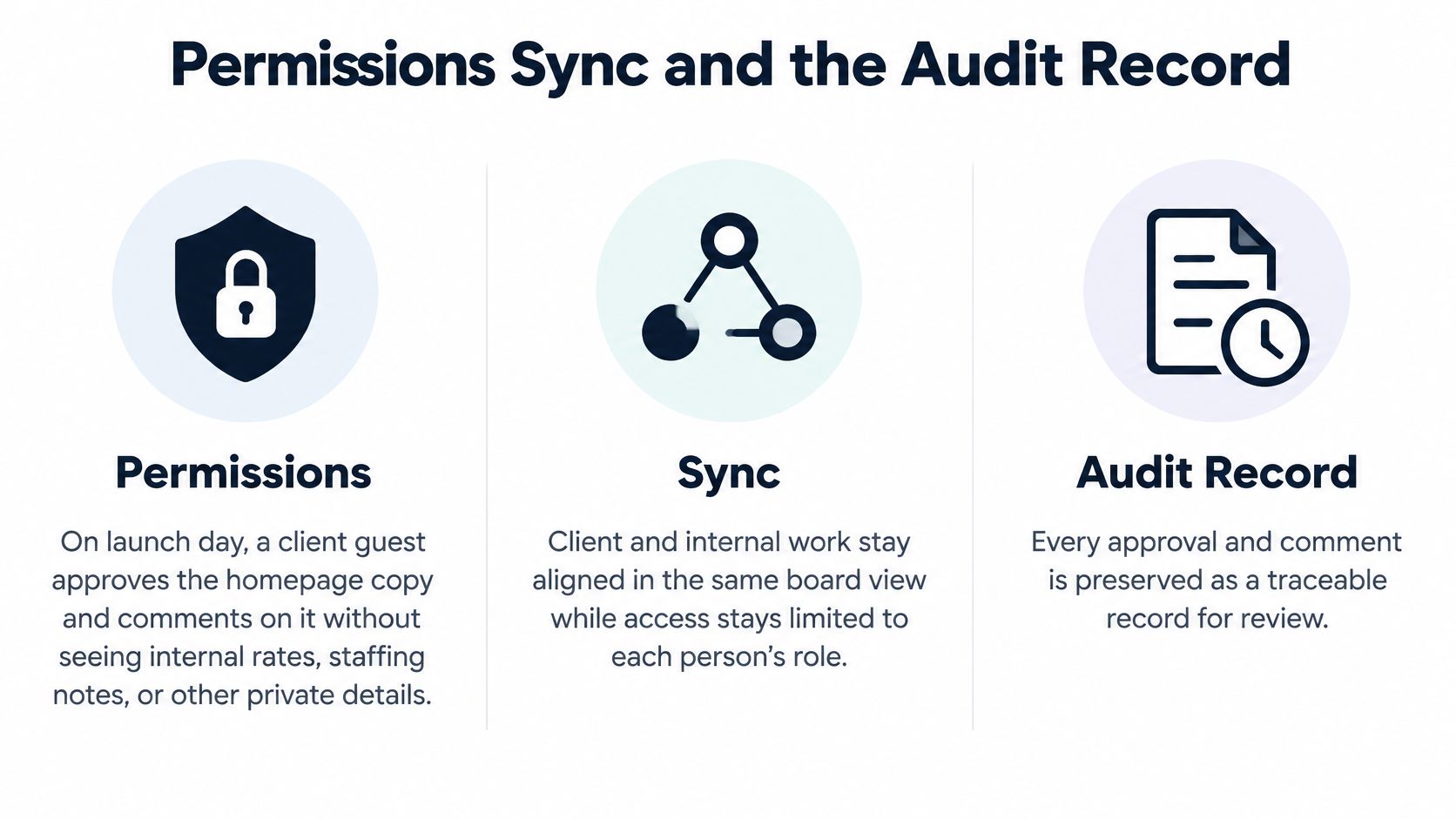
Three mechanics decide whether client project management software can survive a launch week. Permissions, sync, and the audit record fail in different rooms, often on the same afternoon.
Permissions on launch day
Say the homepage goes live at 4 p.m. The client guest needs to approve the copy and comment on a headline. They do not need internal rates, staffing notes, or the other client's brand. A Teamwork-style portal seat with project privacy keeps that guest inside one engagement. A Monday guest limited to chosen columns can see status and comments while rate columns stay hidden. An Asana guest working through forms and approvals can sign off without wandering the internal portfolio. If your demo cannot open the guest view and fail to find the rate card, the permission model is a brochure.
When the client moves a card
The client keeps their Monday board. Your delivery team works on our side with two-way sync, and a conflict shows on the task, not in an email nobody reads until morning. A one-way import looks connected until the client drags the card to Done and your board still says In review. That stale board is how scope arguments start. Agree which fields cross the boundary, and keep rates and internal comments off the external board.
Metrics from timestamps
Store the approval as an event. Keep planned versus actual dates. Attribute every change to a person. On our own board that record is 277 tasks planned, claimed, and shipped, 51 decisions recorded with alternatives, and 100% of changes attributed to a person.
Research on software-project success treats project monitoring and controlling as one of the factors most strongly associated with success, and it ties success to stakeholder outcomes, client satisfaction, objectives, and delivered value. Pull the numbers from timestamped events, not from a slide built on Friday. Use milestone completion rate, schedule performance index, overdue-task aging, dependency-related delay, approval turnaround time, rework after client feedback, budget variance, and unresolved-risk count. The client dashboard should show planned versus actual dates, blocked work, and pending approvals, plus a snapshot you cannot rewrite.
A client portal that hides the audit log is a status page, not a record.
This still does not settle two AI agents editing the same client task. That is an ownership problem, not a permissions checkbox.
Governing AI Agents on Client Projects
Most buying guides stop at dashboards, deadlines, and portals. They skip the question that shows up once agents write the copy, the code, or the decision. Who changed the client task, and who answers for it?
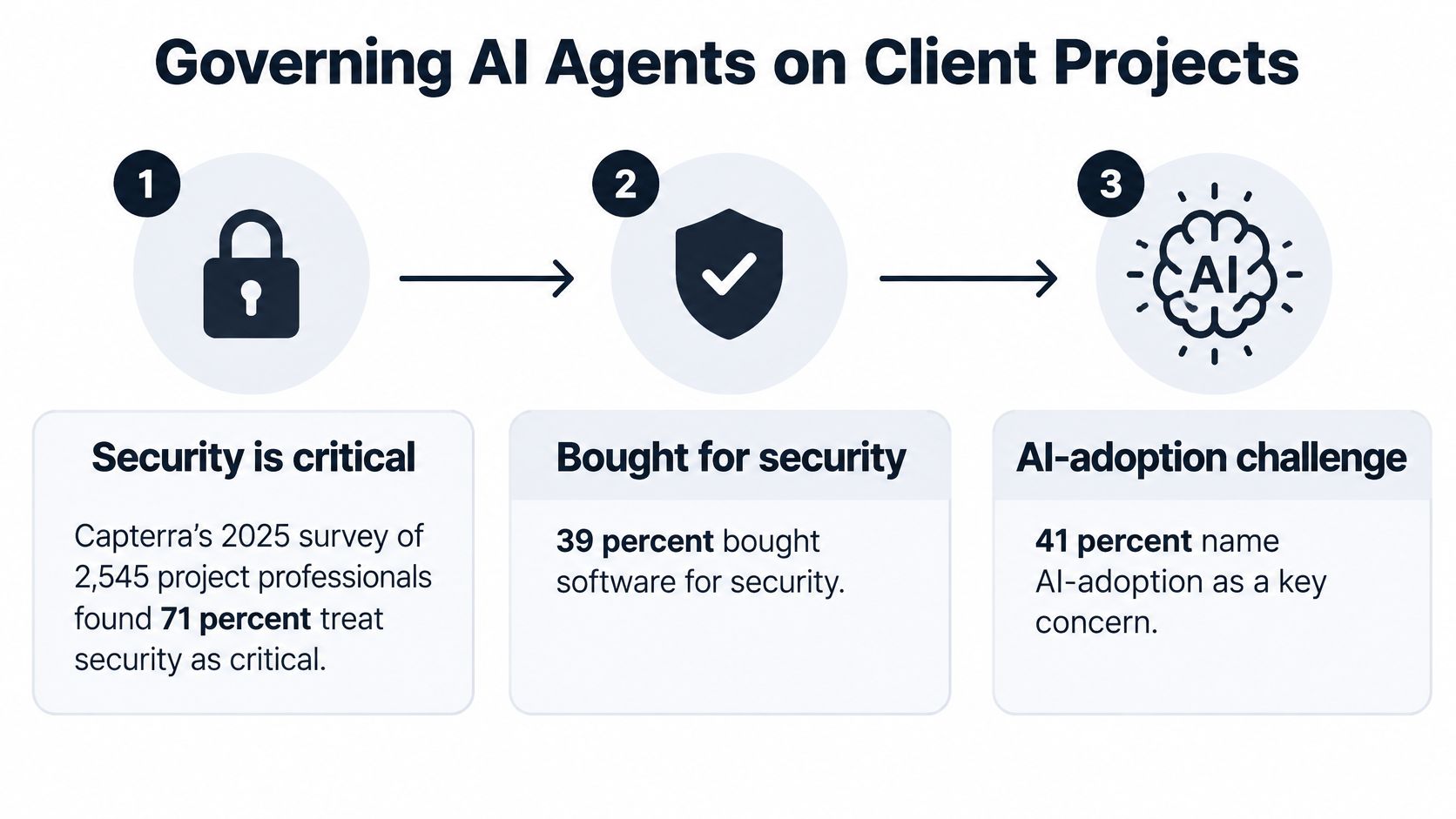
Capterra's 2025 global survey of 2,545 project-management professionals found that 71% consider security a critical purchase factor, 39% bought software because of security needs, and 41% cite AI-adoption problems as their top software challenge. A 2025 international AI project-management study reported that two-thirds of respondents use AI tools, up from 41% in 2023, while resistance from staff affected 62% and ethical concerns or bias affected 54%. Workflow integration was a hurdle for 36%.
An AI summary button does not coordinate work. Adding AI without provenance makes responsibility less visible, not more. Demand a client-safe operating model in this order, and refuse the demo that skips a step.
A demo sequence you can demand
- Named owner: A person owns every agent action. The agent connects over MCP as a member of the board and acts for that person.
- No privilege upgrade: The agent cannot outrank the inviting person's permissions. Members' agents suggest. They do not become owners.
- Claim before edit: A claim is a lease. When two agents want the same task, the first claims it. The second is told who holds it and when they were last active, then leaves a comment or asks for the claim.
- Briefing, not a cold start: The session opens on the brief, the rules, who is working, and the last handoff.
- Handoff in four parts: What was done, what is unfinished, what comes next, and which tasks were touched.
- A person accepts decisions: The record includes context, the decision, alternatives, and consequences. An agent may propose it. A person accepts it.
- Approval gate: Client-facing deliverables wait. They are not "done" because a model finished a draft.
Our board is built for people and agents together, with claims so they don't collide, a briefing so they don't start cold, and attribution on every change. Engineering teams adopting that pattern can use project management for software teams as the internal version of the same rule.
After a bad client-facing change, the client will ask who is accountable, the person or the model. The answer has to be a person, with the agent named in the log.
Seats Sync Hosting and Export Costs
Separate the license from the cost of running two boards. Guest seats, client users, and audit-log tiers are where agency tools get expensive. An AI add-on per seat is a different model from charging only for people. If agents are billed as users, parallel client work will cost more than the portal.
You pay for people. An agent acts for a person and does not take a seat. Solo is free for one person and includes every feature, one workspace, unlimited projects, the Orchestrator, external boards, Figma sync, Project Drive, and MCP for Claude Code, claude.ai, and Claude Desktop, with no card. Enterprise is custom, includes the Team set, and covers as many people as the organisation needs. For how per-seat products climb once every login is a user, read Linear pricing and then ask the same question of every rival in the room. I am not quoting their list prices here. They move by seat and region.
| Cost factor | Projectify | Ask rivals in the demo |
|---|---|---|
| Solo single user | Free, every feature, one workspace, no card | Is a free tier limited to one person? |
| AI agents | No seat, because agents act for a person | Are AI agents billed as users? |
| Client guest seats | Email invite; people are the billed unit | Are guests free? |
| Audit log | In-product attribution on the activity feed; audit export is an enterprise conversation | Is the audit log an enterprise gate? |
| Hosting | Cloud at projectify.si or self-hosted with Postgres | Can we self-host and keep data off the vendor cloud? |
| Exit | One zip export from People then Workspace, link valid for 7 days | Do we get a CSV or a full workspace export? |
Hosting and the exit file
Hosting is cloud at projectify.si, or self-host on your server with Postgres. That second line is the one that matters when a client forbids vendor clouds. Exit cost should be boring. An owner or admin exports everything under People, then Workspace. One zip holds every project, task, doc, decision, and file. The download link is emailed and works for 7 days.
Implementation stays short when you import the client's board instead of rebuilding it. Connect, map statuses, agree which fields sync, and keep rates and internal comments off the external board. In the same demo, ask whether guests are free, whether the audit log is an enterprise gate, and whether leaving means a CSV or a full workspace.
If agents are billed as users, the second and third parallel session will outrun the portal fee before the retainer does.
Choose the Board Your Client Already Uses
Pick from the client's board, not from a category page. If the client already runs Monday, Trello, or Azure DevOps and your people or agents do the work, choose Projectify and sync that board. Do not make the client move. If nobody uses agents and the client needs a branded portal, time tracking, and approvals in one product, choose a client-service suite such as Teamwork and accept that AI coordination is out of scope. If the client is an engineering organisation standardised on Jira, stay in Jira. A second system of record is how status splits.
The picture is the point. The client stays where they already work, and the delivery side connects without a migration project.
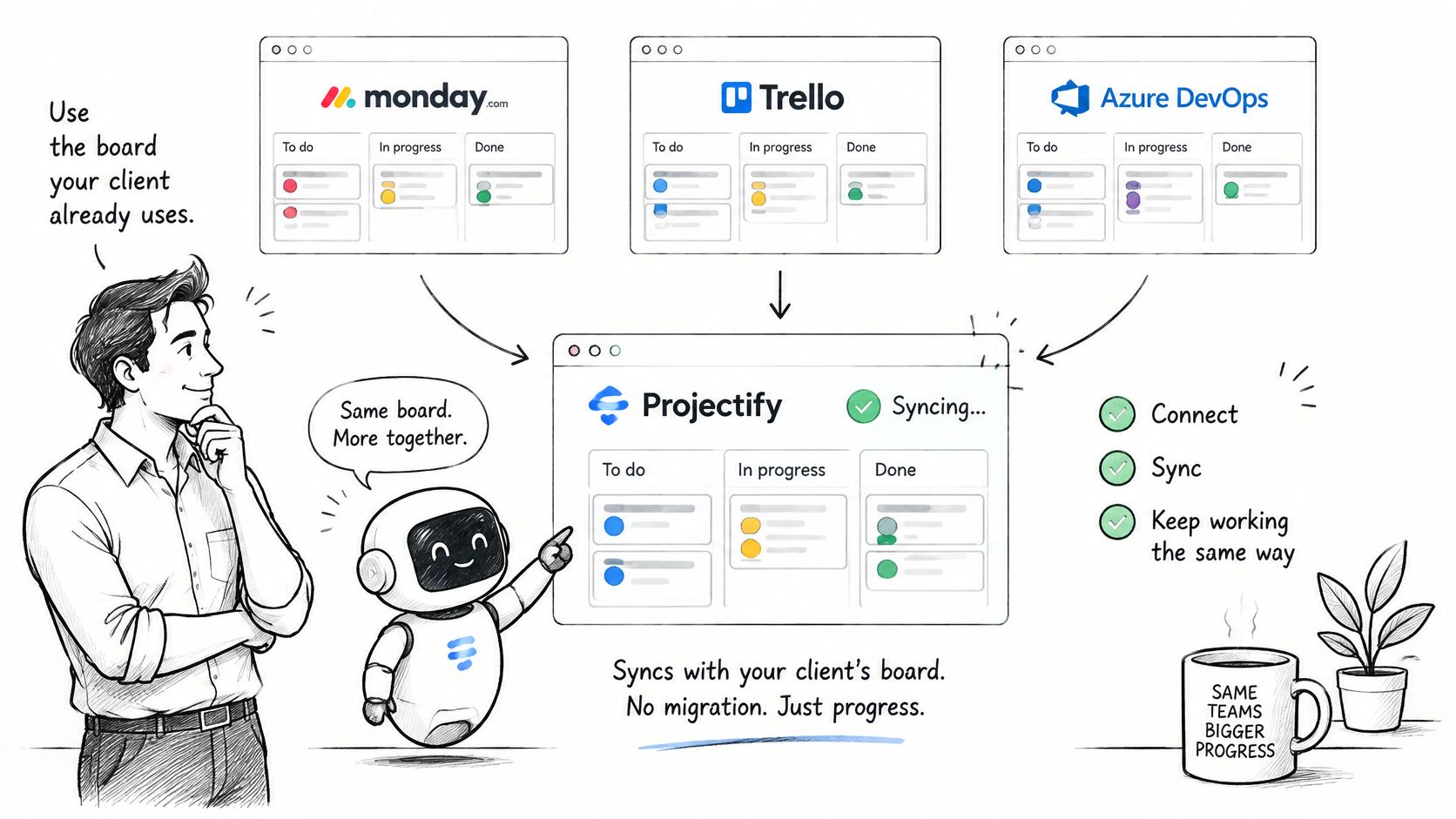
We connect Claude Code, claude.ai, Claude Desktop, GitHub, Figma, Monday, Trello, and Azure DevOps. That list is a filter, not a trophy. If the client's tool is not on it, do not pretend a portal widget will substitute for their board.
Situations that pick themselves
A design agency whose client will not leave Trello syncs Trello both ways and keeps internal notes off synced cards. The disqualifying demo is moving a client card and watching whether the conflict appears on the task.
A software consultancy whose client lives in Azure DevOps syncs that board instead of teaching a second tracker. If the demo offers a CSV import and calls it live, walk out.
A Monday-native account team stays in Monday unless agents are running parallel implementation. The visual board they already bought is enough until two sessions need a claim.
A retainer studio that needs a branded portal, time, and approvals in one place picks a suite like Teamwork. Do not bolt agent leases onto a product that was bought for client users.
A solo builder with several AI sessions and no client login uses Solo. Agents still act for that one person.
A regulated client that forbids vendor clouds needs self-hosting on Postgres and an exportable record. Cloud convenience is not a compliance argument.
Watch the short walkthrough, then run the same three checks yourself. Guest view, card move, two agents.
A first week that proves the board
- Connect or import the external board.
- Write project rules the client would accept if they read them.
- Restrict agent rights to the inviting person's role.
- Require a person to accept every decision, including the alternatives.
- Run one approval through to the activity feed and keep the event.
The test that matters is boring and specific. A colleague who was not in the chat can see who changed the client task, a person or an agent, and whether the client's board matches. Workspace questions go to hello@projectify.si.
We built a project board where people and AI agents share claims, briefings, handoffs, and a record that names who changed a client task. If your client already lives in Monday, Trello, or Azure DevOps, sync that board instead of asking them to migrate, and keep approvals and permissions in the same place. See how it fits your engagements at Projectify.